




Ecommerce category page SEO with a real example
Updated 20 October 2026.
An ecommerce category page should help a shopper understand the range, narrow it quickly, compare meaningful differences and reach an available product. SEO work supports that shopping task through crawlable structure, clear copy, stable filters, useful internal links and accurate product data.
For DigiStreet, ecommerce SEO is priced at ₹75,000 + GST a month. The monthly scope funds an agreed backlog across technical issues, category intent, internal links, content, product discovery and measurement. The order of work follows the catalogue and commercial priority. The related DigiStreet commercial page is SEO services in India.
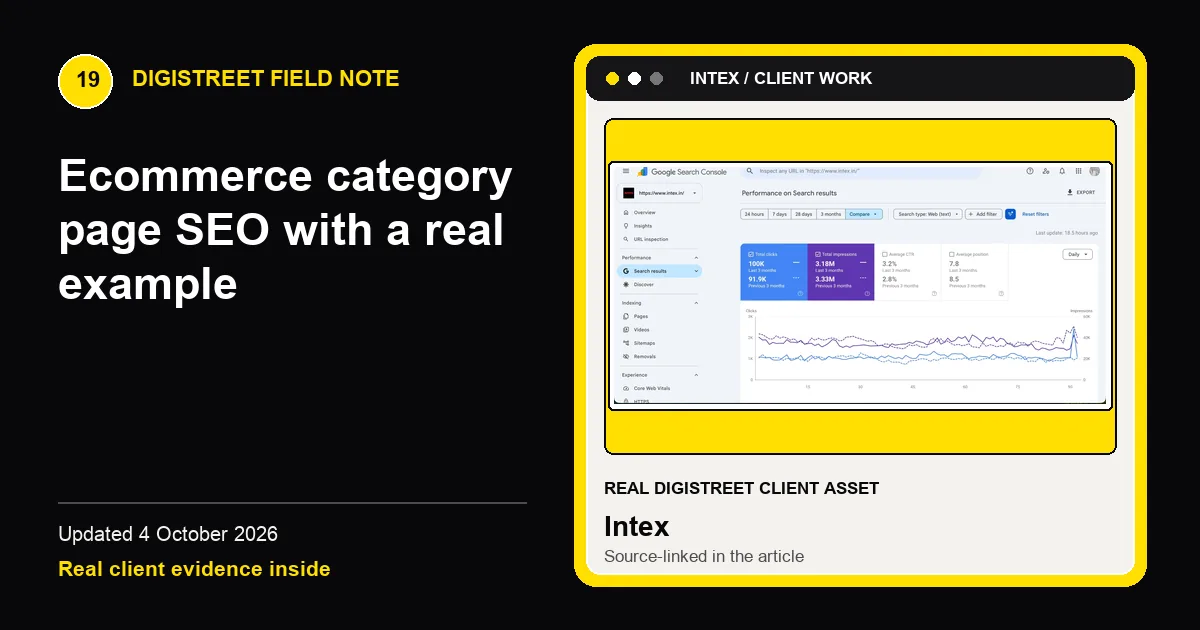
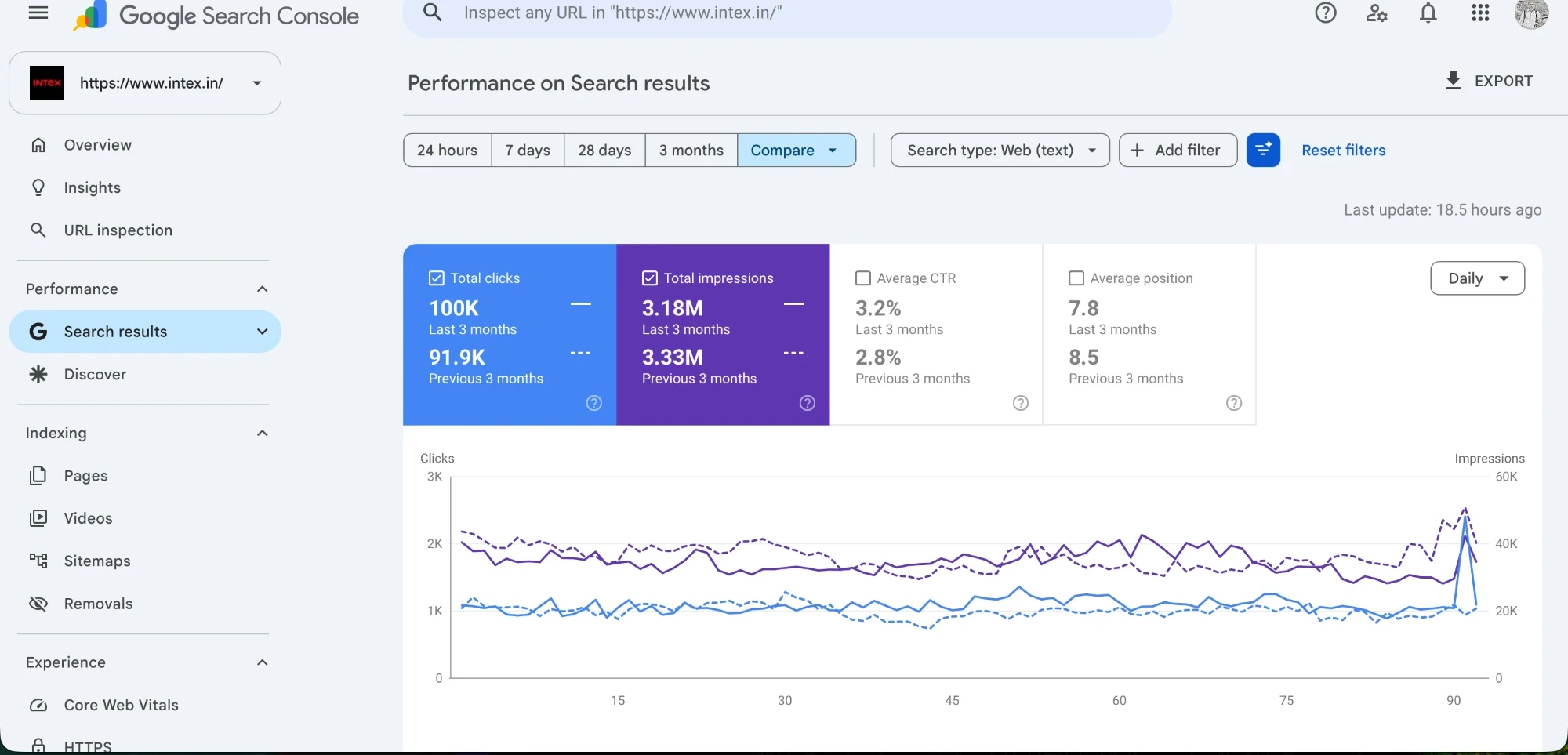
The real example here is Intex, a consumer-electronics brand with category and product discovery needs. Its published DigiStreet SEO case study includes Search Console evidence. The chart is useful proof of real work, but it does not mean every catalogue will follow the same curve. The transferable lesson is the operating method: make priority categories indexable, understandable and connected to inventory people can buy.
Begin with the shopper’s category decision
A category such as speakers, washing machines or televisions contains several possible decisions. Shoppers may care about room size, capacity, connection type, screen size, energy use, price or availability. The category page should present the distinctions the catalogue genuinely supports. A generic paragraph about quality electronics does not help someone choose a product or help a search system understand the range.
Write the main heading and introduction around the category, not a string of modifiers. Keep essential filters visible and label them in the language customers use. Where a filter creates a strategically useful subset with stable stock and demand, it may deserve an indexable landing page. Most parameter combinations should remain browsing controls rather than becoming thousands of competing search URLs.
Control faceted navigation before it controls crawling
Facets can generate many URL combinations for colour, size, price, brand and specification. Some combinations are useful; many contain duplicate or near-empty lists. Google’s ecommerce guidance recommends making products reachable through site navigation and using links that crawlers can follow. The technical plan should define which combinations receive internal links, canonicals and indexation.
Do not block a URL in robots.txt and expect a canonical on that URL to be processed, because a blocked page cannot be crawled for the canonical signal. The correct rule depends on the platform and catalogue. Map parameters, sample the live outputs, inspect status and canonical behaviour, and retain a crawlable path from departments to categories, subcategories and products.
Use copy where it removes a buying doubt
Category copy can sit above, within or below the product grid according to the decision. A short opening can explain the range and the most important selection axis. Deeper guidance can answer compatibility, sizing, delivery or maintenance questions later on the page. Do not push products far below a large block written only for keywords.
Helpful content should remain current when inventory changes. Claims about models, prices, warranties and delivery require ownership. If a paragraph names a feature that no available product carries, the page creates friction. Connect copy review to merchandising updates and use a content field the team can change without redesigning the template.
Strengthen the paths between categories and products
Internal links should reflect how customers explore the catalogue. Department navigation can lead to major categories; category cards can lead to stable subcategories; editorial guides can explain a decision and link back to relevant ranges. Product pages should return to their category and may point to compatible products where the relationship is accurate.
Use descriptive anchor text rather than repeated “view more” labels. Breadcrumbs clarify hierarchy for people and can support structured understanding when marked up correctly. Orphan categories and products receive little value from an XML sitemap alone. A sitemap helps discovery, but a usable click path shows how the catalogue fits together.
Keep product availability and structured data aligned
Category pages frequently expose price and availability from product cards. Those values should match the product pages and feeds. Product structured data belongs on product pages and must agree with visible content. Merchant Center feeds can supply additional product information, but a feed does not repair a broken category hierarchy or inaccessible product links.
When a product is unavailable temporarily, retain the product page if it is likely to return and offer accurate alternatives. When an item is permanently removed, choose a response based on whether there is a true successor and whether the old URL still has value. Redirecting every discontinued product to the category can confuse users when there is no equivalent.
Measure categories as trading pages
Search Console can show queries, clicks, impressions and position for the category URL. Analytics can show view, filter, product-click and purchase behaviour when events are configured correctly. Merchandising data supplies stock, margin and returns. No single report describes the whole decision, so the review should bring search, behaviour and commercial evidence together.
Segment branded and non-branded discovery, new and returning visitors, device, category and landing page. A rise in clicks with falling product availability is not a clean success. A category with modest traffic but high product engagement may deserve stronger internal linking. Write the next backlog from these combined signals rather than from ranking movement alone.
Turn the Intex example into an audit brief
For a consumer-electronics catalogue, start by listing the departments and their stable child categories. Add the attributes people use to compare products and mark which ones already exist as reliable data. Then map each priority category to available inventory, supporting guides, warranty information and the product-detail path. This reveals where a search landing page can also operate as a useful shopping page.
The Intex Search Console chart belongs beside that working brief as outcome evidence from the published case. It should not be copied into a proposal as a projection. Instead, use it to show how the team will preserve source dates, compare landing pages and discuss observed search change. Another retailer may begin with different catalogue depth, demand, authority, platform constraints and merchandising capacity.
The first delivery queue can combine one technical fix, one category improvement and one measurement correction. For example, repair the crawl path to a priority range, rewrite the introduction around actual selection factors and confirm product-click tracking. That compact set gives the next review something concrete to inspect across crawling, customer use and commercial availability.
Plan category changes with merchandising
SEO and merchandising should share a calendar. A festive campaign, model launch or stock clearance changes which categories need links and which statements remain accurate. Search work can identify demand and technical gaps, while merchandising confirms assortment, price, margin and availability. The page owner then chooses a change that supports both discovery and a purchasable range.
Before editing a template, sample several categories with different depths. A rule that works for fifty products may create an empty block on a category with three. Use content-driven layouts, allow the product grid to begin promptly and prevent optional modules from leaving blank height when data is absent. The mobile test should include long product names, sale labels, unavailable items and filters opened at 390 pixels.
Record what changed and when. Category copy, filter rules, canonical rules, navigation and product-card data can influence the same URL. Without a release note, later analysis may credit the wrong change or overlook an inventory event. A concise log improves the next review and makes the published Search Console evidence easier to interpret responsibly.
Use empty-state rules that preserve the shopper’s task. If a filter produces no products, explain the result, offer a clear reset and suggest only relevant nearby ranges. Do not let the template create an indexable, generic page for every empty combination. The technical response and visible message should agree about whether the URL has lasting value.
Check category performance after enough stock cycles have passed. Search discovery, product clicks and purchases need to be read beside days in stock and campaign periods. A page should not be judged weak because its leading items were unavailable, nor praised for revenue driven by a short paid promotion without noting the context.
| Layer | Question | Useful evidence |
|---|---|---|
| Intent | What choice is the shopper making? | Queries, on-site search, product attributes |
| Crawl | Can Google reach priority products through links? | Rendered navigation, crawl sample, status codes |
| Index | Which facet combinations deserve a search page? | Demand, stock stability, uniqueness |
| Content | Does the page remove a real buying doubt? | Filter use, product clicks, support questions |
| Commerce | Does discovery reach an available profitable item? | Availability, purchases, margin and returns |
Intex
The published Intex case contains this client asset with a named caption. The source opens the evidence in its original context.
Frequently asked questions
How much does DigiStreet charge for ecommerce SEO?
Ecommerce SEO is ₹75,000 + GST per month. The agreed backlog depends on the catalogue, platform, markets and current technical condition.
Should every filter have an indexable URL?
No. Index only stable combinations with real demand, sufficient products and distinct value. Most filter combinations should remain browsing controls.
How much copy should sit above the product grid?
Use enough to orient the shopper without burying products. Longer guidance can sit later on the page when it answers a genuine buying question.
Does an XML sitemap replace internal links?
No. A sitemap helps discovery, but Google also recommends crawlable navigation from categories to subcategories and products.
What should happen to an unavailable product page?
Keep a temporarily unavailable page accurate and offer valid alternatives. For permanent removal, redirect only when a true successor exists; otherwise use an appropriate removal response.
What does the Intex example prove?
It proves that the page uses real DigiStreet client evidence. It does not promise the same result for another catalogue or attribute all change to one category-page action.