
DigiStreet planning tools
Choose one detailed planner or a focused quick tool to work through media, fees, targets, SEO scope or video-pack costs with the inputs visible.

Start with the decision
The flagship planner combines media, the performance fee and optional services. The five quick tools isolate one calculation when a full plan would add unnecessary detail.
Every result begins with an input you can see and change. That keeps the conversation tied to a target, a budget or a published service price instead of hiding the basis inside a single total.
Use the flagship when media and several service lines need to be reviewed together.
Use the ad-budget or break-even tool when the central question is lead or sales economics.
Use the fee, SEO or UGC tool when the choice is between known brackets or packs.
Choose a calculator
Each calculator uses the same visual system and links back to the broader planning path, so it is easy to move from one focused question to a complete scope.
Plan media, management fees and service costs together, then compare the monthly and one-time totals.
Open calculatorSee how the published percentage brackets and the ₹50,000 minimum apply to a media budget.
Open calculatorBack-solve the media budget for a lead or sales target and review the channel split.
Open calculatorCompare margin, order value and close rate to the highest sustainable lead cost and break-even ROAS.
Open calculatorMatch markets, services and competition to the published SEO tier that fits the brief.
Open calculatorCompare the published five, ten and twenty-video packs and the effective cost per video.
Open calculator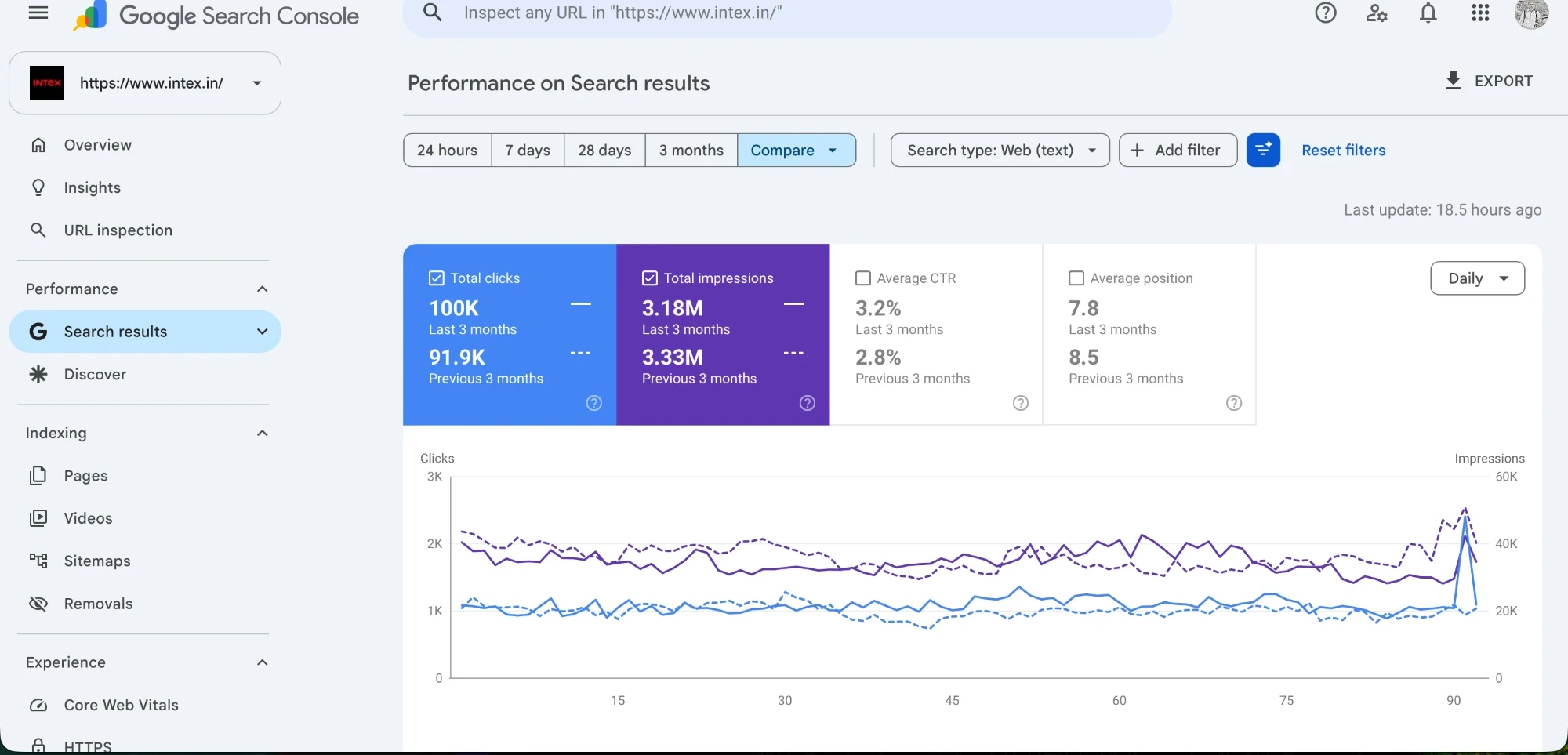
Intex
100K clicksThe Intex case-study chart shows the scale and direction of organic search performance over three months. The tools keep evidence like this labelled as a client result rather than treating one account as a universal forecast.
View the Intex case studyA practical route
The tools are designed to keep the calculation and its basis together, whether the starting point is media, SEO, UGC or unit economics.
Start with the all-in planner or select the quick calculator that isolates the number you need.
Replace the starting values with your target, budget, margin, market or production quantity.
Read the result beside its assumptions, published price line or benchmark source before taking the next step.
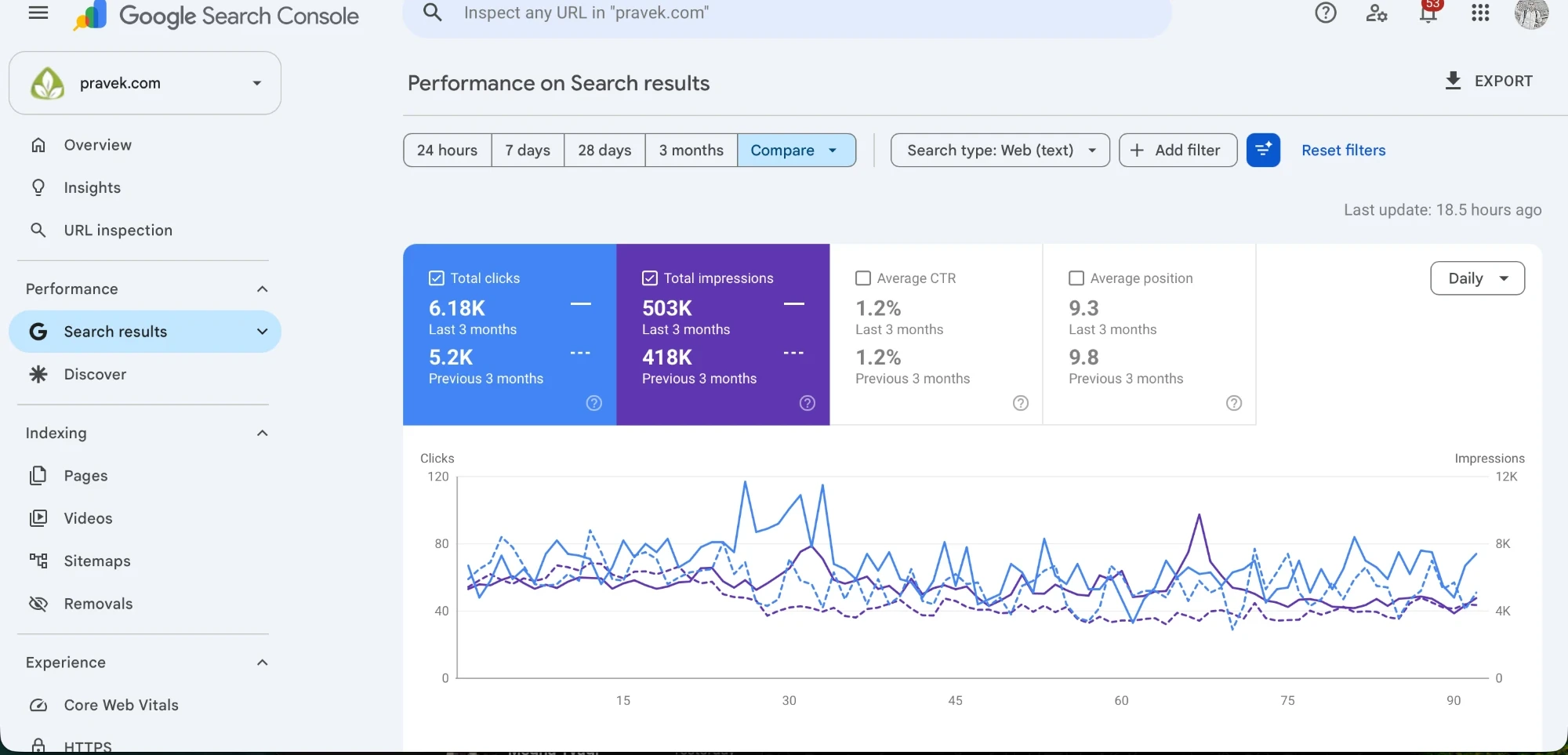
Pravek Kalp
6.18K clicksThe Pravek Kalp update records 6.18K clicks and 503K impressions in its latest three-month view. Different accounts produce different patterns, which is why the calculators expose the inputs instead of presenting a hidden fixed answer.
View the Pravek Kalp case studyRead the output well
A useful planning result separates the visitor’s inputs, published service prices and sourced delivery ranges. It also makes it clear which number changes when a target or assumption changes.
The flagship planner is best when the budget has several moving parts. A focused calculator is better when the question is narrower: the fee on a known media spend, the media needed for a target, the break-even point for a funnel, the SEO tier for a scope or the cost per UGC video.
Keep the result beside the chosen inputs. A plan is easier to review when the target, the basis and the calculated amount remain visible together.
Awarded Digital Marketing Agency
Over 100
 reviews


