

A shopper no longer has to type “steel water bottle 1 litre.” She can ask an AI tool something far more specific: “I need a leak-proof steel bottle for my son’s school bag, under ₹800, that keeps water cold till lunch.”
To answer that, the AI system needs facts. Capacity. Material. Insulation. Price. Stock. Delivery time. If your catalogue data does not state those facts clearly, the system has little reason to show your product, however good it is.
That is the heart of product feed optimisation for AI shopping. It is not a trick or a hack. It is the careful work of making every product easy for machines to read, compare and trust. This guide explains what to fix, where each fix lives and what nobody can promise you.
A quick reality check first. AI shopping is changing month by month. No one can guarantee that a well-optimised feed will place your products in any AI answer. What good data does is remove the reasons a system might skip you.
Four things people mix up
Before fixing anything, it helps to separate four ideas that often get blended together.
| Layer | What it is | Who sets the rules |
| Merchant Center feed | The product data file you submit to Google for Shopping ads and free listings | Google’s Merchant Center product data specification |
| Structured data | Schema.org markup on your product pages that describes the product in code | Schema.org vocabulary, plus each search engine’s own guidance |
| Feed optimisation | Improving the quality, completeness and accuracy of your product data | You and your team, guided by the rules above |
| AI shopping discovery | How AI search features and AI shopping agents find and recommend products | Each AI provider, and the rules keep changing |
Your ecommerce catalogue data feeds all four. Get it right once, keep it consistent everywhere, and every channel benefits.
One product, before and after
Here is how a typical listing looks before and after a proper clean-up.
| Field | Before | After |
| Title | Premium Bottle Blue | YourBrand Insulated Steel Water Bottle, 1 Litre, Leak-Proof, Blue |
| Description | Best quality bottle for daily use | Double-wall stainless steel bottle that keeps drinks cold for up to 24 hours. Leak-proof lid, fits most school and gym bags. |
| Brand | Missing | YourBrand |
| GTIN | Missing | Product barcode number added |
| Colour and size | In title only | Separate colour and size fields filled |
| Availability | Out of date | Synced with live stock |
| Images | One small photo | Main image plus lifestyle and detail shots |
The second version answers the shopper’s question almost word for word. That is the goal: clear, specific facts in the right fields. The brand name above is only an example.
Titles and descriptions: say what it is
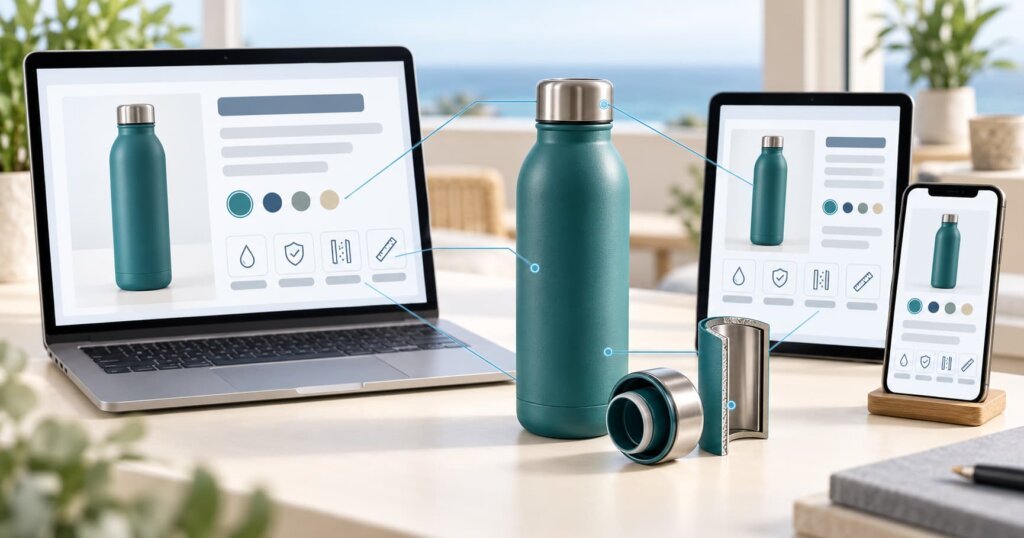
Titles carry the most weight in most product feeds. A strong title usually follows a simple order: brand, product type, key feature, size or capacity, colour or variant.
Avoid vague words such as “premium,” “best” or “amazing” without facts behind them. They add nothing a machine can use. “1 litre, leak-proof, insulated” tells the system far more.
Descriptions should expand on the title with real details: materials, dimensions, use cases, care instructions and what makes the product different. Write for a person first. Clear writing for people usually works for machines too.
Many Indian sellers list the same products on their own site, Google and marketplaces. DigiStreet’s guide to product listing ads on Amazon and Flipkart covers the marketplace side. The core rule stays the same everywhere: consistent, specific product facts.
Identifiers: GTIN, MPN and brand
Identifiers help systems match your product to the same item elsewhere on the web.
- GTIN is the global barcode number, such as an EAN or UPC.
- MPN is the manufacturer’s part number.
- Brand is the name the product is sold under.
Where a product has a GTIN, submit it. For handmade or custom products that have no barcode, Merchant Center allows you to say so rather than inventing one. Never make up identifiers. Wrong data can do more damage than missing data.
Price, availability, shipping and returns
These fields answer the practical questions every buyer asks.
Price and availability must match your website exactly. If your feed says ₹749 and in stock while the page says ₹799 and is sold out, you lose trust with shoppers and risk disapproval in the Merchant Center.
Shipping details, such as delivery cost and time, help AI tools answer questions like “delivered by Friday.” Google added new shipping-related attributes to the Merchant Center specification in 2026, including a handling cutoff time, so it is worth reviewing what your feed currently sends.
Returns information helps too. A clear return policy gives shoppers, and the systems helping them, one more reason to choose you.
Images and variants
Good images do double duty. They help shoppers decide, and they give systems visual information about the product.
Google has announced that from 31 January 2027, product images in Merchant Center will need to be at least 500 by 500 pixels across all categories. If your catalogue still has small images, now is a good time to replace them.
For variants, such as sizes and colours, group them properly using the item group and variant fields rather than creating unrelated listings. This helps systems understand that the blue 1 litre and the black 750 ml bottles belong to the same product family.
Product taxonomy and detailed attributes
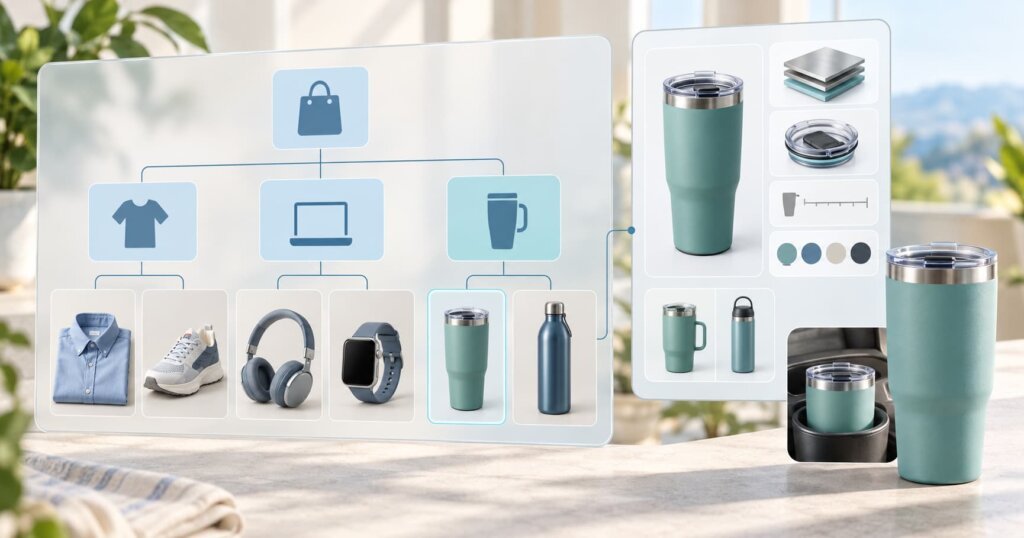
Assign each product to the most accurate category. A clear product type and category help systems decide which questions your product can answer.
Then go deeper. Google’s Merchant Center documentation now describes several newer attributes, such as product highlights, product details, question and answer, and related products, as intended mainly for conversational experiences like AI Mode in Google Search. These fields let you state specific facts, such as “BPA-free” or “fits a standard car cup holder,” in a structured way.
Fill the ones that genuinely apply to your products. Do not stuff them with marketing lines.
Structured data and landing page consistency
Your product pages should carry a Product schema that matches your feed: name, brand, price, availability, reviews and identifiers. If you are new to the terms, DigiStreet’s glossary explains schema, structured data and related ecommerce vocabulary in plain language.
The golden rule is consistency. Your feed, your schema and the visible page must all say the same thing. Mismatches confuse systems and shoppers alike.
Reviews belong here too. Genuine ratings and reviews, shown on the page and marked up correctly, add trust signals that shopping systems can read.
Feed freshness
A perfect feed goes stale quickly if prices and stock change daily. Set your feed to update automatically, as often as your inventory changes. During sales such as Diwali or end-of-season offers, check more frequently, because price and stock errors multiply when everything moves at once.
Fresh data also helps paid campaigns. DigiStreet’s guide to Google Ads for ecommerce stores shows how feed quality affects Shopping ad performance, and the same clean data supports free listings and AI surfaces.
Common catalogue mistakes worth fixing first
A few problems show up again and again in Indian ecommerce catalogues.
Copy-pasted supplier descriptions. Many sellers reuse the manufacturer’s text word for word. Hundreds of other listings may carry the same lines, which gives systems no reason to prefer yours.
Hindi and English mixed at random. Mixing languages within one title or field can confuse matching. Keep each field in one language and decide where regional-language content belongs.
Sizes and weights written differently. “1L,” “1 ltr,” “1000 ml” and “one litre” in the same catalogue make comparison harder. Pick one format and use it everywhere.
Old offers left in titles. Phrases such as “Diwali Sale 50% Off” stay in titles long after the sale ends. Keep promotions in the right promotional fields, not in the product name.
What about AI shopping agents?

AI shopping agents are tools that can research, compare and, in some cases, help complete a purchase for the shopper. Several AI providers have started inviting merchants to share product data, and each uses its own format and rules. These programmes are new and changing fast, so follow each provider’s official merchant documentation rather than guesses published elsewhere.
The safest preparation is the same work described above: complete, accurate, consistent product data on your feed and your website. That foundation carries over to whichever platforms your customers use next.
Beyond the feed, AI systems also learn about brands from the wider web. DigiStreet’s AEO services focus on making brand and product information clearer for answer engines, which complements feed work.
Product feed optimisation for AI shopping: where to start
If your catalogue is large, do not try to fix everything at once. Start here:
- Fix titles and descriptions for your top-selling products.
- Add missing GTINs, brands and variant fields.
- Match price and stock between feed and website.
- Replace small or poor images.
- Fill relevant detailed attributes.
- Check that the Product schema matches the feed.
Then expand to the rest of the catalogue in phases.
How DigiStreet helps ecommerce brands
DigiStreet’s ecommerce marketing team works on catalogue quality, Shopping campaigns and search visibility together, because the same product data drives all three. Its product listing ads service covers Merchant Center feeds and Shopping ad management for brands selling online.
If you want a clear view of how ready your catalogue is for AI-led shopping, contact DigiStreet. The team can review your feed and product pages and point out the fixes that matter most.
FAQs
What is product feed optimisation for AI shopping?
It is the work of making your product data complete, accurate and consistent so AI search features and shopping tools can understand and compare your products.
Does optimising my feed guarantee a place in AI shopping results?
No. Nobody can guarantee placement. Good data removes reasons for a system to skip your products and improves your eligibility to appear.
Which Merchant Center feed fields matter most?
Titles, descriptions, GTIN, brand, price, availability, images, variants, product category and shipping details are the core fields for most products.
What is the difference between a product feed and schema markup?
A product feed is a data file you submit to platforms such as Merchant Center. Schema markup is code on your product pages. Both should state the same facts.
How often should I update my product feed?
Update it as often as your prices and stock change, ideally automatically. Check more frequently during big sales.
What are AI shopping agents?
They are AI tools that research, compare and sometimes help buy products for a shopper. Their merchant programmes are new, so follow each provider’s official documentation.
Do I need a GTIN for every product?
codes, Merchant Center lets you indicate that no identifier exists.