





Finding where users give up before they register
Updated 2 November 2026.
Two class names, MainActivity on Android and FlutterViewController on iOS, were 42% of all screen views in a GA4 property we audited on 6 October 2026. With those as your screen names there is no path through the app and no drop-off to read. Here is what we replaced them with.
Why your screens report says MainActivity
42% of screen views in this property were two values: MainActivity on Android and FlutterViewController on iOS. Everything a user saw was filed under one of them.
That is not a bug. Firebase logs a screen_view automatically on screen transitions and, when screen_class has not been set, fills the value from the Activity or UIViewController in focus. A Flutter app routes every screen through one view controller per platform, so the automatic value is correct and useless at the same time.
The consequence is specific. There was no path through the app, because every step carried the same name, and no per-screen drop-off, because there were no screens. On a product whose whole problem was people leaving before they registered, the screens report could not show one place where they left.
Screen names a person would recognise
Send screen_view yourself, with a screen_name somebody in the business would recognise. Nine names covered this app. The rule we use is to name the screen after what the user is doing, not after the class or the route. signup, otp, consent, profile, test_list, test_detail, test_question, result, checkout. Lower case, underscores, no version numbers in the name.
Log it where the screen actually becomes visible. Firebase’s documentation says to call it in onResume on Android and in viewDidAppear or onAppear on Apple platforms. Log it in the constructor instead and you will count screens nobody ever saw. On an app we build this list goes into the spec, because retrofitting it across 40 screens is a week nobody budgeted.
| Screen | screen_name sent | Previously logged as | What it lets you see |
|---|---|---|---|
| Sign-up form | signup | MainActivity or FlutterViewController | How many people who opened the app ever reached the form |
| Code entry | otp | MainActivity or FlutterViewController | The share who asked for a code and never got past it |
| Consent | consent | MainActivity or FlutterViewController | Whether the consent screen loses people before registration |
| Profile | profile | MainActivity or FlutterViewController | Whether a long profile form is the real barrier |
| Test catalogue | test_list | MainActivity or FlutterViewController | Whether registered users ever reach a product |
| Test detail | test_detail | MainActivity or FlutterViewController | Which assessments get considered and dropped |
| Test question | test_question | MainActivity or FlutterViewController | Where inside a long test people stop, read with the step parameter |
| Checkout | checkout | MainActivity or FlutterViewController | Whether payment or the form before it is the problem |
The events that tell three failures apart
A funnel that runs from app open to registered tells you 70% leave. It does not tell you which 70%. There are at least three different people inside that number and they need three different fixes.
One, the person who never asked for a code, which is a screen problem: the form looked long, or the reason to register was not on the screen. Two, the person who requested a code and never verified, which is a delivery or a patience problem. Three, the person who verified and then stopped at the profile form or the consent screen, which is a form problem.
The events that separate them are sign_up_start when the form opens, otp_requested and otp_verified either side of the phone check, sign_up when the account exists, and sign_up_error carrying an error_reason of otp_timeout, otp_wrong, network or already_registered. Add step to sign_up_error and you know which field. consent_updated records the consent choice, and it is usually the event that explains a gap nobody can account for.
Building the funnel
Use a funnel exploration, closed, with each step as a single event. Ours ran first_open, sign_up_start, otp_requested, otp_verified, sign_up, profile_complete, test_start, test_complete.
Two settings matter more than the step list. Set it to a closed funnel so people have to pass through the steps in order, because an open funnel will flatter you by counting anyone who reached step four by another route. And check the date range against your retention setting: explorations and funnel reports are the reports GA4’s data retention limit actually affects. This property was set to 2 months. We raised it to 14, the maximum on a standard property.
Then break it down. Platform first, because Android was about 87% of key events against roughly 5% on iOS and the registration experience was not the same on both. Then method, because phone, Google and Apple sign-in fail at different rates and the blended number hides all three.
Sudhir Power
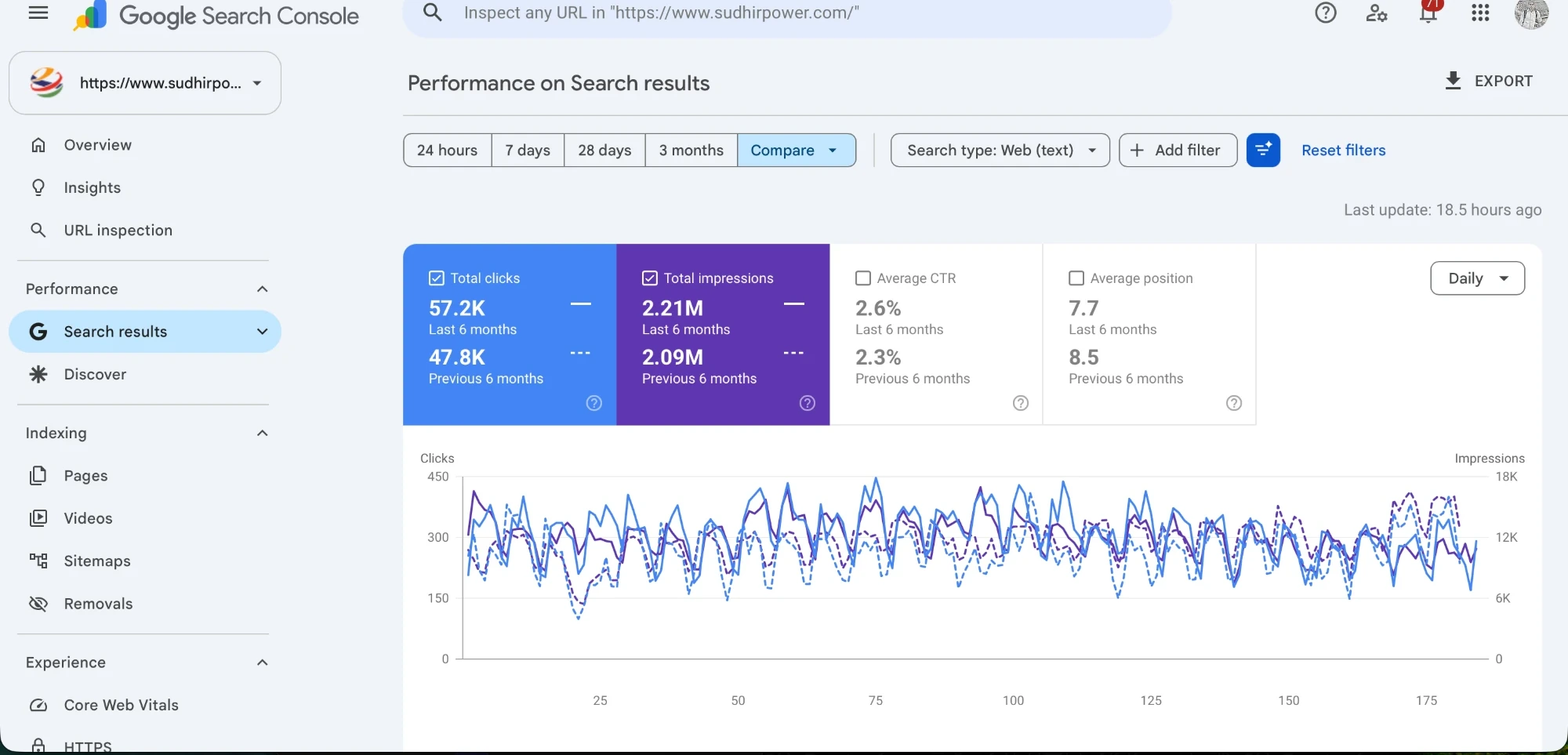
Search evidence, not app data. Sudhir Power is an SEO client and this is six months of clicks and impressions from their Google Search Console property. It is here because it is a measurement with a named source behind it. The app funnel described in this post was built for a client we are not naming.
Reading it
Read the biggest absolute loss, not the worst percentage. A step that loses 60% of 40 people is a smaller problem than a step that loses 20% of 900, and the second one is usually earlier in the funnel.
Then read the pairs. otp_requested against otp_verified is delivery and patience. otp_verified against sign_up is whatever your app does between verification and account creation, which is usually a form nobody mentioned in the brief. sign_up against profile_complete is the profile form. profile_complete against test_start is whether a registered user can find a product at all.
One number you will want and may not have is how many people who opened the app never reached the sign-up form. That is first_open against sign_up_start. If that gap is the largest one, the problem is on the first screen and not in registration, and no amount of form work will fix it. That is a conversion problem on the first screen, and it is cheaper to solve than a rebuild.
What to fix first
Fix the step with the largest absolute loss that you can change within a release. On most apps that is the OTP screen or the profile form, and both are usually fixable without a design round.
Three changes that keep earning their keep. Cut the profile form down to the fields you need before you can show a result, and move the rest to later. Put a resend timer, a visible error message and a second sign-in method on the OTP screen. And show the first screen of value before asking for an account, where the product allows it.
That last one is a product decision rather than a tracking one. We argue for it anyway, and we would rather argue it with a funnel on the screen than with an opinion. It is the same work as conversion rate optimisation on a website, with a slower release cycle and no ability to patch it tomorrow afternoon.
Checking it on a real device before you trust a report
DebugView, on a physical phone, before anybody opens a report. On Android you turn debug mode on with adb shell setprop debug.firebase.analytics.app followed by your package name, and off again with the same command ending in .none. On Apple platforms you pass -FIRDebugEnabled as a launch argument in Xcode, and -FIRDebugDisabled to switch it off.
Then walk the app like a user and watch the stream. DebugView shows events from the last 60 seconds with their parameters and user properties, a per-minute count across the last 30 minutes, and a device selector so two developers do not end up reading each other’s events.
What you are checking is not whether events fire. It is whether the names and parameters are exactly what the plan said, case included, because Firebase event and parameter names are case sensitive and test_Start is a different event from test_start. Realtime next, then the Events report 24 to 48 hours later, then the funnel.
The weekly habit that keeps it honest
Open the funnel once a week with the product team in the room. Not monthly. An app release cycle is slower than a website’s, so a regression that shipped on the 3rd is much cheaper to catch on the 10th than on the 1st of next month.
Watch for three things. A parameter showing (not set) where it used to arrive. A step losing more people than last week with no release in between. And a screen name nobody recognises, which is how you find out a new screen shipped without a screen_view at all.
Put one name against it. On our side a single person owns the funnel and reads it before the weekly call, which is how the question in the call becomes what changed rather than what does this mean. Same arrangement on every app we maintain, from the first release onwards.
References
- Firebase documentation, Track screenviews, accessed 11 October 2026
- Firebase documentation, Debug Analytics events with DebugView, accessed 11 October 2026
- Google Analytics Help, GA4 DebugView, accessed 11 October 2026
- Google Analytics Help, GA4 data retention, accessed 11 October 2026
- Google Analytics Help, GA4 automatically collected events, accessed 11 October 2026
Frequently asked questions
Why does GA4 show MainActivity as my screen name?
Because screen_class has not been set, so Firebase fills it from the Activity or UIViewController in focus. In a Flutter app that is one class for every screen, which is why MainActivity and FlutterViewController were 42% of all screen views in the property in this post.
Should I turn off automatic screen tracking?
Usually no. Send manual screen_view events with proper screen names alongside it, and only disable the automatic version if you are getting duplicates. It is switched off with FirebaseAutomaticScreenReportingEnabled set to NO in Info.plist on iOS, or a google_analytics_automatic_screen_reporting_enabled meta-data entry in the Android manifest.
Which events do I need to find registration drop-off?
Six: sign_up_start, otp_requested, otp_verified, sign_up, sign_up_error with an error_reason, and consent_updated. Add a step parameter to sign_up_error and you can tell a long form apart from a failed code.
Should a GA4 funnel exploration be open or closed?
Closed, for a registration funnel. A closed funnel requires people to pass through the steps in order, while an open funnel counts anyone who reached a later step by another route and makes the drop-off look smaller than it is.
How far back can a funnel exploration look?
As far as your event data retention setting allows, which is 2 or 14 months on a standard property. Retention affects explorations and funnel reports rather than standard aggregated reports, so set it to 14 months today because the change does not apply backwards.
How long does this take to implement?
About a week of developer time for the screen names and the registration events on an app of this size, then 24 to 48 hours before the Events report is readable. Check it in DebugView on a real device the same day rather than waiting for the report.