




Updated 18 October 2026.
DigiStreet field guide
What a Monthly SEO Report Should Contain
A monthly SEO report should explain what changed, why it changed, what the team shipped and what decision is needed next. A screenshot without that chain is decoration.
The first page of an SEO report should fit in one screen. Put the period, clicks, impressions, commercial page groups, completed work, material faults and next actions there. The reader can open the evidence after understanding the month.
Google says Search Console and Analytics show different parts of the customer path. Search Console reports what happened before a person reached the site from Google Search. Analytics records behaviour after arrival. A responsible report keeps those sources labelled instead of forcing them into one unexplained total.
Use comparisons with equal periods and state the filter. Brand and non-brand, country, device, search type and page group can change the story. If the filter changed, the report must say so on the chart, not in a footnote nobody reads.
Use this guide as a working document: keep the URL, date, owner and source beside every decision.
The working view
| Report block | Evidence | Decision it supports |
|---|---|---|
| Executive view | Clicks, impressions, conversions and shipped work | Where attention is needed |
| Page groups | Landing pages and query clusters | Which commercial area moved |
| Technical health | Indexing, crawl and template findings | What developers should fix |
| Work log | URLs changed, published or linked | Whether activity matches scope |
| Next month | Named owner and expected evidence | What gets done next |
Build the report around decisions
State the period and filters
Write the exact start and end dates, comparison period, search type, country and device filters. A ninety-day view should not be compared with an incomplete month. Clear filters make the chart repeatable when someone checks it later.
Lead with commercial page groups
Group results by services, categories, products or markets. A sitewide click total can hide that the money pages fell while old articles grew. Page groups let the sales and product teams recognise the part of the business behind the line.
Keep clicks and impressions together
Impressions show visibility; clicks show visits from search. Read them with click-through rate and average position, but avoid treating an average as a single ranking. Search Console aggregates many queries, locations and devices into that figure.
Add post-click behaviour carefully
Use Analytics for engaged sessions, key events and landing-page behaviour after the click. Label the system and attribution view. Search Console clicks and Analytics sessions can differ because they measure different events and apply different processing.
List every shipped URL
Name the page, action and date. Published copy, a title change, an internal-link update and a technical repair should be separate rows. The log makes the fee auditable and lets future reports connect a movement to a real change.
Show technical faults by consequence
A crawl export with hundreds of rows belongs in the appendix. The report should group the faults by effect: blocked discovery, duplicate indexing, weak internal paths, broken structured data or slow templates. Assign an owner and priority.
Explain losses before proposing work
Google’s guidance on traffic drops starts with checking the shape of the fall, date range, search type, pages and queries. Follow that order. A broad sitewide drop calls for a different investigation from one page losing one query group.
Record what the team learned
A report earns its keep when it changes the next month. Note which title matched the query better, which category gained non-brand impressions, which content failed to move, and what that evidence changes in the backlog.
Keep AEO and GEO visibility separate
Citations and generative-AI impressions are useful monitoring lines, but they should not be folded into ordinary web clicks. Label the surface, period and source. Then connect the observation to page-level evidence work.
End with a short action ledger
Name the next actions, owner, due date and evidence expected. “Improve content” is not an action. “Add the missing specification table to the product family page and request re-indexing” is something a team can complete and check.
A reporting review that takes thirty minutes
Spend the first five minutes on the one-screen summary. The client or internal owner should be able to say which page group moved, which material fault remains and which action needs approval. If the summary cannot support that conversation, it contains too many totals or too little explanation.
Use the next ten minutes to inspect the evidence behind one gain and one loss. Open the exact Search Console filters and the affected pages. Read the title, main answer and internal links. This prevents a team from celebrating a sitewide line while an important category quietly loses the queries it was built to serve.
Use five minutes on the work log. Pick two completed rows and open the URLs. Check that the stated change is visible, the date is plausible and the link or technical repair works. A report becomes trusted when a reader can sample it quickly and find the work exactly where the row says it is.
Use five minutes on blockers. A development ticket waiting for approval, a missing product specification and an unreviewed draft are different problems. Name the owner and consequence for each. Repeating the same blocker for three months without escalation turns reporting into storage.
Finish on the next-month ledger. Remove tasks that lack an owner or a check. Keep the list short enough to finish. A stable report should make the backlog smaller and sharper over time, even while the site and search demand continue to change.
Reading a monthly SEO report line by line
What if impressions rise and clicks stay flat?
For example, impressions go from 40,000 to 60,000 in a month while clicks stay at 800. Click-through rate falls from 2.0% to about 1.3%, which is arithmetic, not a verdict. Open the page and query filter and look at where the new impressions came from. Often a page has started to appear for broader phrases at low positions, so impressions grow without anyone clicking. That points to reach, not damage. The action is a title and opening-answer review on the pages with the largest impression gain and the lowest click-through. Report the finding as a named page group with a named change, not as a general remark about visibility.
Why do brand queries need their own line?
Brand searches measure demand you already have. Non-brand searches measure demand you have earned. A report that merges them can show growth that came from a launch, a hoarding campaign or an offline event, while the SEO work itself did nothing. Ask for two lines every month, with the brand terms defined in writing at the start, such as the company name and its common misspellings. Then judge the programme on the non-brand line and the commercial pages. If the brand line fell and the non-brand line rose, the programme is working harder than the headline suggests. If the opposite happened, the headline is flattering it.
How do you read a drop without panicking?
Check the calendar before the page. Compare the same weekdays, because a month with five weekends behaves differently from one with four. Then compare against the same month a year ago if you have the data, since a business with festival or wedding-season demand will swing for reasons unrelated to the work. Only after that, look at which page group fell. For example, if clicks drop 10% sitewide but one service page lost 60% of its own, the report should lead with that page. The agency's job is to point at the page and the likely cause, not to bury the fall under a rising chart elsewhere.
What does a good work log look like?
A good log has one row per change, and every row can be opened. It lists the URL, the date, what changed from and to, and the reason. For example, a row might read: product family page, title changed to lead with the product name, opening answer rewritten to state the specification range. A weak row says "on-page optimisation, 12 pages". Test the log by choosing three rows at random and opening the pages. If you cannot see the change, the row is padding. Ask for the log in a shared sheet rather than a PDF, so you can filter by page group and count changes against the fee.
When should you escalate to the agency's lead?
Escalate when the same blocker appears for a second month, when a page group you care about falls two months in a row without explanation, or when the report changes its charts without saying why. Write the escalation as a short message with the page group, the dates, the numbers and one question. Ask for a written answer within a week. Precise questions are quick to answer. A vague complaint about performance invites a vague reply and another month of the same report.
Evidence from DigiStreet work
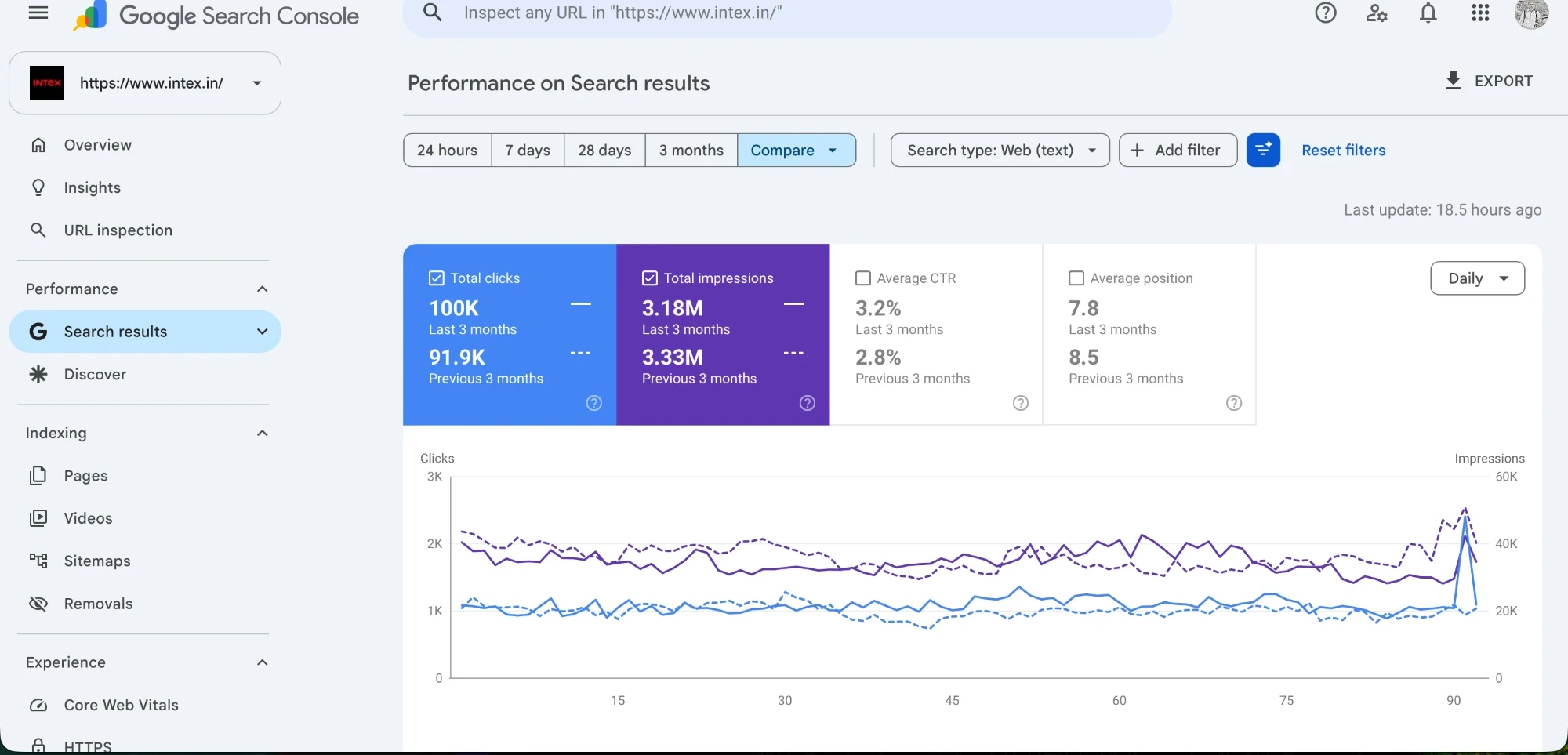
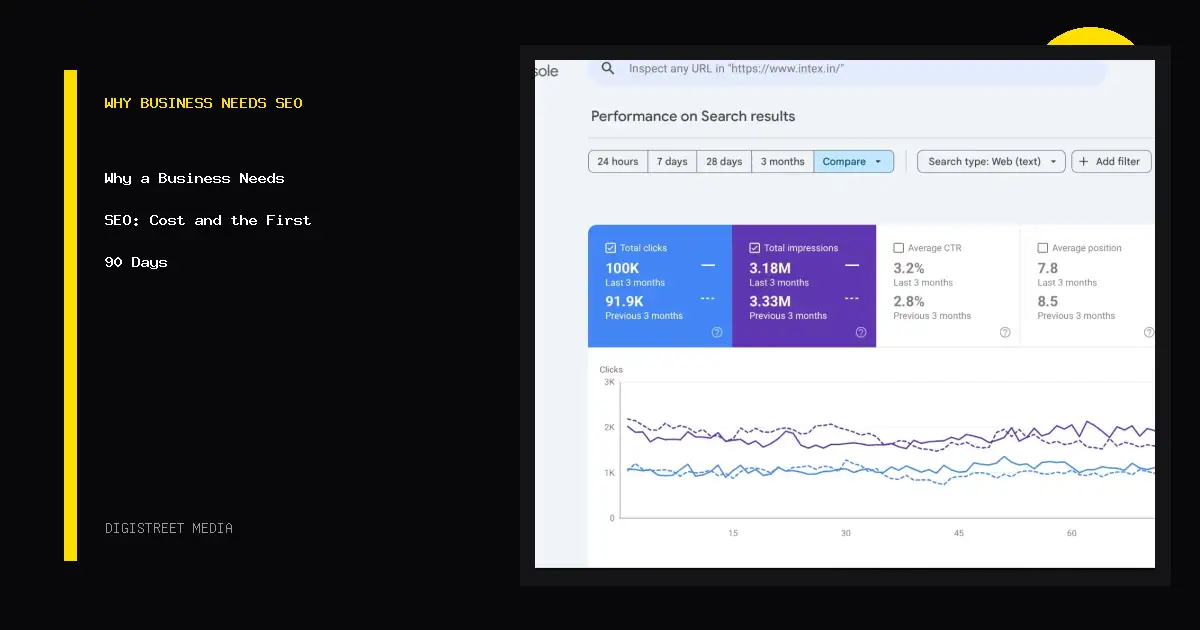
The Intex case chart shows clicks and impressions together for a fixed period. A monthly report would add the page-group cut, work log and next action behind that visual. The chart is the evidence layer, not the whole explanation.
Keep the report stable for at least a quarter. Changing the chart set every month makes comparison harder. Add a view when a new decision requires it, then preserve its filters and labels.
Questions people ask before using this guide
How long should a monthly SEO report be?
The decision summary should fit one screen. Put query exports and crawl detail in appendices.
Should rankings be in the report?
Yes, as a page-group trend with Search Console evidence, not as an isolated vanity list.
Why do Search Console and GA4 numbers differ?
They measure different parts of the visit and apply different processing, so label each source.
Should the report include work completed?
Yes. Name each URL, change and date so activity can be checked against scope.
How should technical issues appear?
Group them by effect, priority and owner instead of pasting a raw crawl export.
Does DigiStreet report AEO and GEO visibility?
Yes. Visibility monitoring is included in every published SEO tier.
Put the next decision on one page
Bring the URL, the evidence you already have and the business action that matters. We will tell you what should be checked first.