

Published 24 October 2026.
A website that already ranks can take a complete redesign without losing a page, as long as the redesign leaves alone everything search engines read. That was the rule on Fund Abroad’s education loan site: 333 pages redesigned, every address, title, description and line of content kept, and the homepage cut from 136 files to 35.
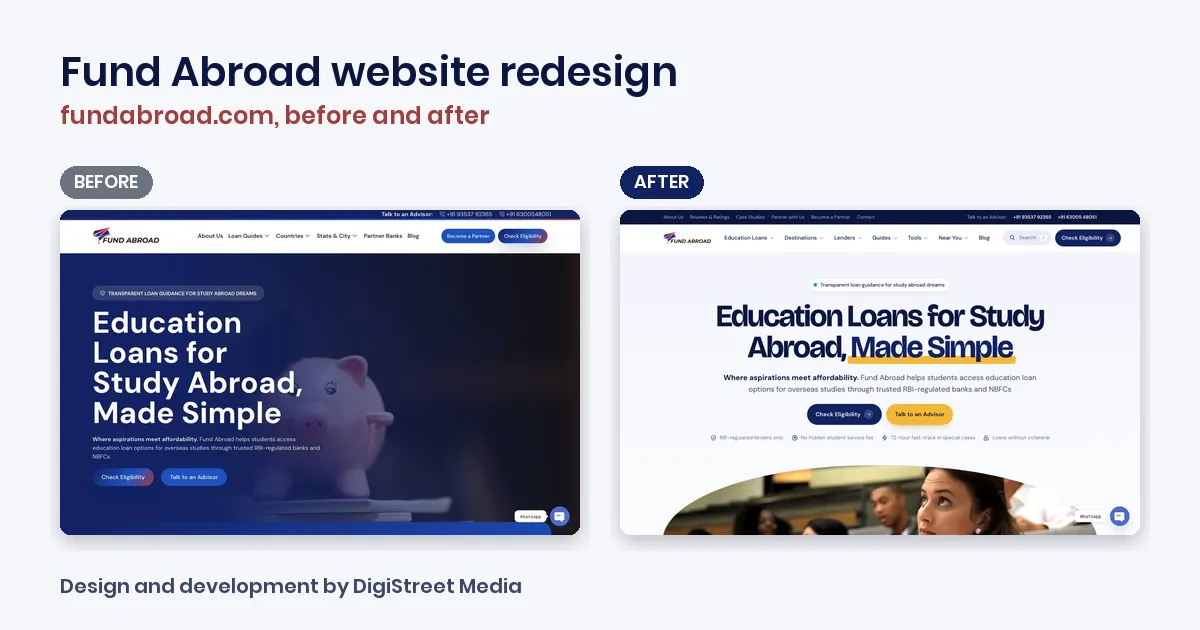
Fund Abroad helps Indian students pay for study abroad by comparing loan offers across 16+ RBI-regulated banks and NBFCs. Its site had grown page by page into loan guides, country pages, lender pages, 39 state and city pages, tools and a blog. It ranked, and it looked like several different sites. This post walks through how we redesigned it, in the order we did the work, so you can use the same method on your own site. The full before-and-after screens are in our Fund Abroad website redesign case study, and the new design is live at fundabroad.com.
Decide what is frozen before anyone opens a design file
The first document on this project was a list of things nobody could change. Page titles, meta descriptions, H1s, URLs, body content and internal links were all frozen. New things could be added. Nothing could be deleted.
That rule shaped every later decision. A redesign usually tempts people to tidy URLs, rewrite headings and drop pages that look old, all at the same time as changing the look. Google’s own guidance for site moves says to make big changes one at a time, and gives the example of moving to a new domain first and changing the layout after [1]. We applied the same thinking here. The layout changed. The things Google already knew about each page did not.
Because no URL changed, the site needed no redirects. If your redesign does change addresses, you need a redirect map before launch, and our redirect map checklist for a website redesign covers how to build one.
Count every text and every link, then count them again
On a site this size, nobody can eyeball whether a sentence went missing. So the check was automatic. Every page text on the old site (each heading, paragraph, list item, button, card, FAQ and image) was compared with the new build: 6,330 texts across the pages and 3,605 sentences across the blog. None were missing. The same check ran on internal links across pages, the header and the footer, and none were lost.
The check ran on every build, not once at the end. Each time the design changed, the numbers were recalculated, so a broken template showed up the same day rather than after launch.
The check also turned up mistakes that were already live: builder notes published as page text on several country pages, and FAQ sections sitting under the wrong heading. We did not fix those quietly. We listed every one with the current wording and a proposed fix, Fund Abroad approved them, and 152 fixes went in across 29 pages, each logged before and after. That log is what lets you change copy on a ranking site without anyone wondering later what moved.
Give every page one obvious home in the menu
The old menu had six items: About Us, Loan Guides, Countries, State & City, Partner Banks and Blog. The tools and most lender pages had no clear place, and Loan Guides opened into two long lists.
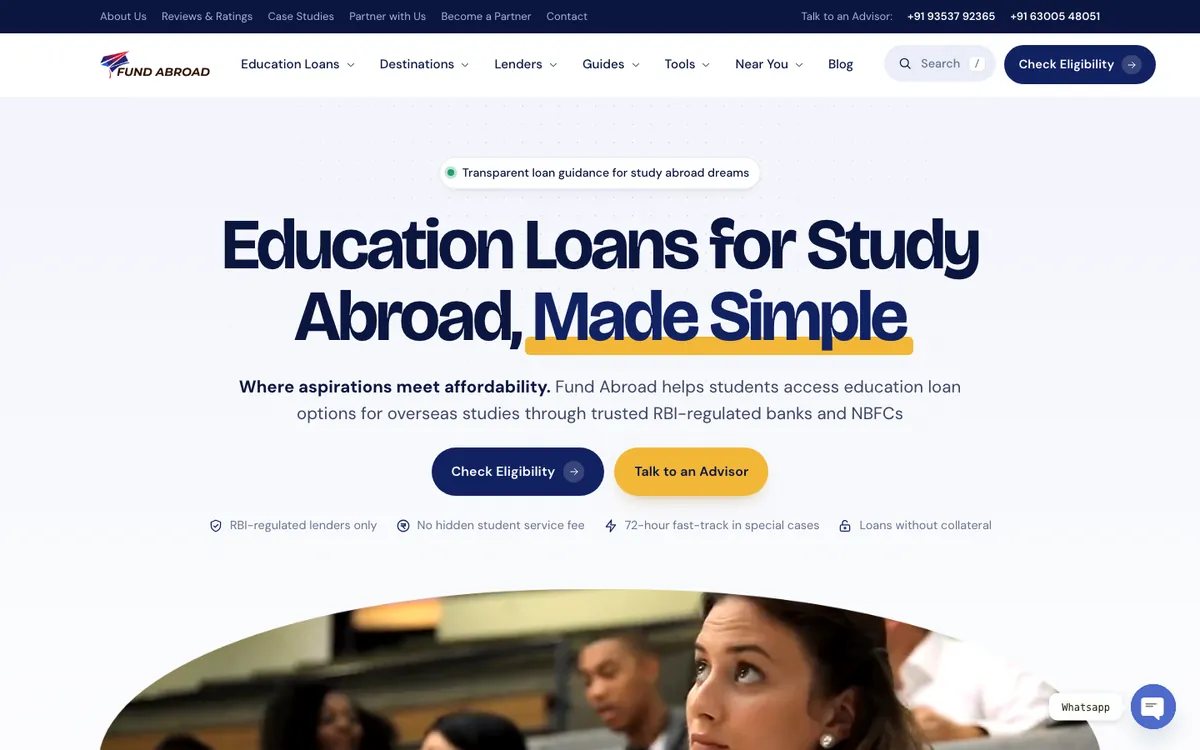
The new menu has seven groups built around what a student is trying to do: Education Loans, Destinations, Lenders, Guides, Tools, Near You and Blog. Near You shows all 15 states and 24 cities in a single panel. Company links (About, Reviews, Case Studies, partner pages and Contact) moved to a thin utility bar above the header, so the main menu only carries what students are looking for. Every link from the old menu is still in the new one.
On a phone, the menu opens on a search box and four shortcuts: check eligibility, the EMI calculator, lender comparison and the document checklist. Those four are the tools students reach for most, so they sit above the full list.
Add search, and make it forgive typos
Students looking for a loan type the name of a bank, a country or a course, and they misspell all three. The new site has search in the header and in the phone menu. It finds pages as you type and still returns the right page when a word is spelt wrong.

Search is the cheapest fix for a big site. A menu can only hold so much, and 333 pages will never fit in one. Search covers the rest without adding another dropdown.
Design for the phone, because that is the version Google reads
Google uses the mobile version of a site’s content, crawled with its smartphone agent, for indexing and ranking [2]. The same guidance asks for the same content, the same headings, the same structured data and an equivalent title and meta description on mobile as on desktop. On a redesign that means the phone layout cannot be a cut-down version of the desktop one. Hide a section on mobile and, for Google, it may as well not exist.
On the new Fund Abroad site, the phone layout carries every word of the desktop page. The headline sits on a calm, light background instead of a busy photo, the buttons are full width, and a bottom bar keeps Call, WhatsApp, Search and Eligibility one tap away. Before launch, all 333 pages were tested on desktop and on a phone for script errors, files that failed to load, sideways scrolling, missing alt text and anything other than exactly one H1. Every page passed.
Cut the effects and the files
The old homepage ran 123 separate entrance effects. The new site uses one reveal style everywhere, and all motion switches off for visitors whose device is set to reduce it.
We measured eight pages on the old site on 21 October 2026 and the same pages on the live new site on 24 October 2026, one desktop load each in Chrome. The homepage went from 136 requested files to 35, and its main content now appears in 1.3 seconds instead of 6.9. Across the eight pages, the average number of files fell from 88 to 32 and the average time to show the main content from 3.0 seconds to 1.4.
For scale, the HTTP Archive’s 2024 Web Almanac found that the median page makes 71 requests on desktop [3]. The old homepage was close to double that. Google’s Core Web Vitals guidance wants the largest content on screen within 2.5 seconds [4], and the homepage now sits well inside it.
Treat a finance site as a trust problem first
Education loans are a money decision, and Google says its systems give more weight to strong experience, expertise, authority and trust on topics that could significantly affect someone’s finances, which it calls “Your Money or Your Life” topics. Of those signals, it says trust matters most [5].
So the redesign put the trust signals where a nervous student looks first. Four trust points sit under the homepage buttons: RBI-regulated lenders only, no hidden student service fee, a 72-hour fast-track in special cases, and loans without collateral. Lender pages show where their numbers come from, with a line saying the rates and limits are from the lender’s official website and the date they were checked. A new EMI calculator shows the monthly EMI, total interest and total payable as you move the sliders, including the interest that builds up during the course.
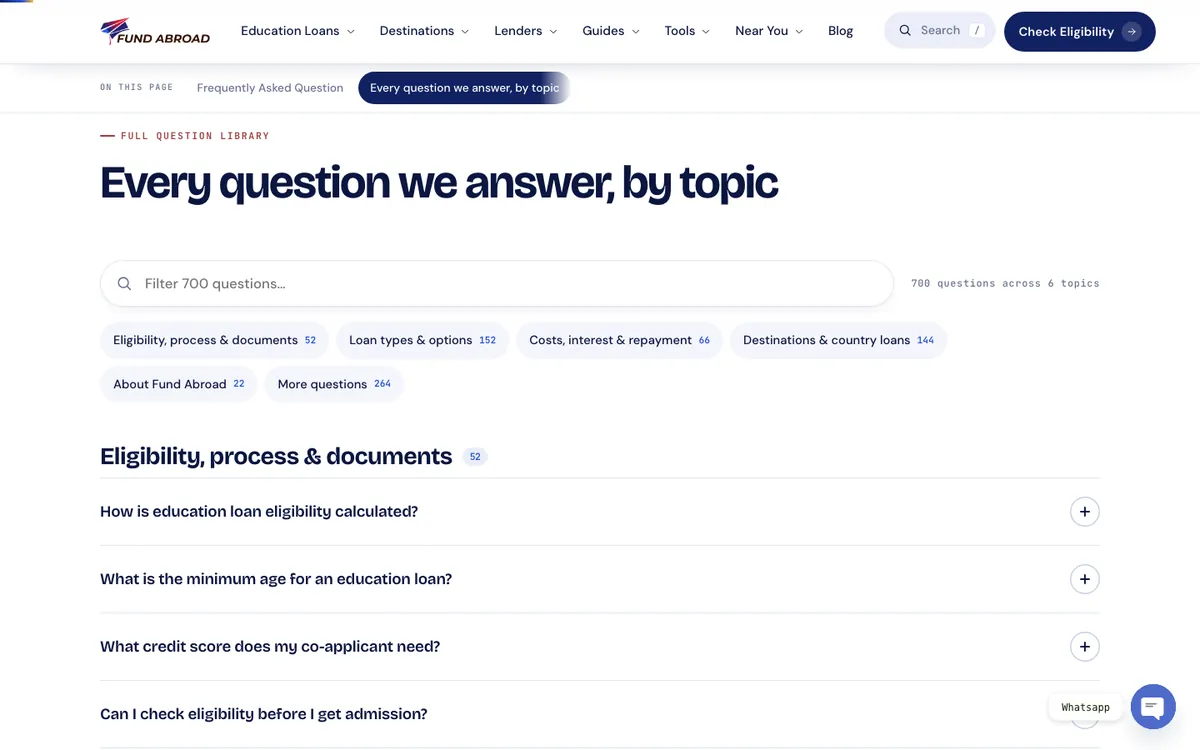
The FAQ page kept its own questions exactly where they were. Below them, a new directory pulls together the FAQs from every page on the site, 700 questions in six topics, with a filter box. A student with one specific worry can find the answer without knowing which page it lives on.
Check the live site the morning after
Launch is where a careful redesign most often goes wrong, because the live server is not the build you tested. After the switch, every public page was fetched the way a visitor or Google gets it and compared with a copy saved before launch: the title, meta description, canonical, robots tag, social tags, H1, schema blocks, the analytics tag and the lead forms.
Google’s guidance notes that visibility in Search can move about for a while after a big site change before it settles [1]. That is why we watch Search Console page by page for the first two weeks after launch, rather than judging the redesign on the first few days.
What to freeze and what to change
This is the checklist we now use when a site that already ranks needs a new design, with what each line meant on Fund Abroad.
| Part of the site | Freeze | Change | On the Fund Abroad site |
|---|---|---|---|
| URLs | Every address | Nothing | 333 pages at the same addresses, no redirects needed |
| Titles, descriptions, H1s | All of them | Only approved, logged fixes | Two H1 grammar fixes, both approved |
| Page content | Every text, word for word | Approved copy fixes | 0 of 6,330 texts missing; 152 logged fixes on 29 pages |
| Internal links | Every link | Add new ones | 0 lost; footer grew from 70 links to 70 plus 15 states and 24 cities |
| Navigation | Every menu link | Grouping and labels | 6 items became 7 groups, search and a utility bar |
| Look | The logo and brand name | Type, spacing, imagery | One design language with an arch motif on every template |
| Motion | Nothing that slows reading | Fewer, calmer effects | 123 homepage effects became one reveal style |
| Speed | Everything a page uses | Files loaded on pages that do not use them | Homepage 136 files down to 35 |
| Tools | Existing forms and calculators | Add tools students need | New EMI calculator and a 700-question FAQ directory |
| Launch | Analytics, schema and forms | Nothing on the day | Every public page compared with its pre-launch copy |
What a redesign like this costs and how long it takes
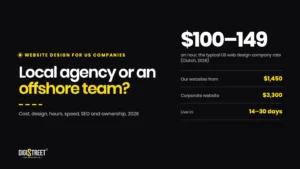
Our websites start at ₹1,00,000 plus GST for a CMS site with the core pages, a contact path and a handover. B2B websites start at ₹1,75,000 and corporate websites at ₹2,25,000, each plus GST. The breakdown is in our website design cost guide and on our website development page.
Most websites take us 14 to 30 days, and a complex project takes about two months. On a redesign of a large, ranking site, the price and the timeline move with the number of templates and pages to check, not with the number of mockups, so bring a page count to the first conversation.
The redesign followed our work on the paid side of the account. We also ran Fund Abroad’s ads, and the Fund Abroad performance marketing case study shows how the qualified lead ratio went from 5% to 15%.
If your site ranks and looks tired, send us the address. We will tell you what to freeze, what to change and how we would prove nothing went missing.
Frequently Asked Questions
Can you redesign a website without losing SEO?
Yes, if the redesign keeps every URL, title, meta description, H1, piece of content and internal link the way it was, and changes only the design around them. On Fund Abroad’s 333-page site, an automatic check found none of 6,330 page texts or any internal links missing after the redesign.
Do I need redirects if my URLs stay the same?
No. Redirects are only needed for addresses that change. Fund Abroad’s redesign kept all 333 pages at their existing URLs, so it needed none.
Should I change my content during a redesign?
Only through a logged list of fixes the site owner approves. On Fund Abroad, 152 approved copy fixes went in across 29 pages, each recorded before and after, and nothing else in the wording changed.
How do you check that nothing was lost in a website redesign?
Compare every page text and link on the old site with the new build automatically, and rerun the check on every build. After launch, compare each live page’s title, description, canonical, H1, schema, analytics and forms with a copy saved before the switch.
How much does a website redesign cost in India?
Our websites start at ₹1,00,000 plus GST, B2B websites at ₹1,75,000 and corporate websites at ₹2,25,000, each plus GST. A large redesign is priced on the templates and pages to move and check.
How long does a website redesign take?
Most websites take us 14 to 30 days. A complex project takes about two months, and a site with hundreds of pages adds time for checking every one before and after launch.
References
- Site moves with URL changes, Google Search Central, last updated 20 August 2026.
- Mobile-first indexing best practices, Google Search Central, last updated 10 December 2025.
- Page Weight, Web Almanac 2024, HTTP Archive, Dave Smart and Jamie Indigo, 30 December 2024.
- Understanding Core Web Vitals and Google search results, Google Search Central, last updated 10 December 2025.
- Creating helpful, reliable, people-first content, Google Search Central, last updated 5 October 2026.
- Fund Abroad education loan website redesign case study, DigiStreet Media, October 2026.