




A website is not a poster that you print once and forget. It is closer to a shop. Software needs updates, security needs watching, pages need fixes and customers expect everything to work on every device. Many owners learn this the hard way, when a plugin update breaks the contact form or a hacked page shows spam in Google. Understanding website maintenance cost in India helps you budget before trouble starts and choose a plan that fits.
This guide explains what maintenance includes, which factors move the price, how plans differ and how to compare quotes. We list no fixed prices, because they vary widely by platform, size and service level. Instead, we show you how to judge a fair offer.
What Is Website Maintenance?
Website maintenance means the regular work needed to keep a site secure, fast, accurate and working. It is different from building a site and different from marketing. Maintenance protects the investment you already made.
It covers three broad areas: technical care (updates, backups, security, speed), content care (edits, fresh pages, accuracy) and support (fixing issues and answering questions).
What a Good Maintenance Plan Usually Includes
Updates
Content management systems, themes, plugins and server software release updates often. Some fix security holes, while others add features. A maintenance plan applies updates on a schedule, tests them and rolls back if something breaks.
Backups
Regular backups let you restore the site after a mistake, hack or server failure. Ask how often backups run, where the team keeps them and how quickly the team can restore one.
Security monitoring
Basic security work includes malware scans, firewall settings, login protection, SSL certificate renewal and checks for suspicious activity. If hackers attack a site, cleanup and recovery can be a separate service, so ask what the plan covers.
Uptime monitoring
Monitoring tools alert the team when the site goes down. Faster alerts mean shorter outages.
Performance checks
Pages that load slowly lose visitors and can rank lower. Maintenance may include image compression, caching settings, database clean-up and reviews of Core Web Vitals.
Bug fixes and small changes
Broken links, form errors and display problems on certain phones all need quick fixes. Plans often include a set number of support hours or tasks each month.
Content updates
Updating a team page, adding a new product or changing business hours may be part of the plan, or billed by the hour. Check the limits.
SEO hygiene
Good plans check for broken links, missing page titles, crawl errors, redirect problems and indexing issues. Deeper SEO work usually forms a separate service.
Reporting
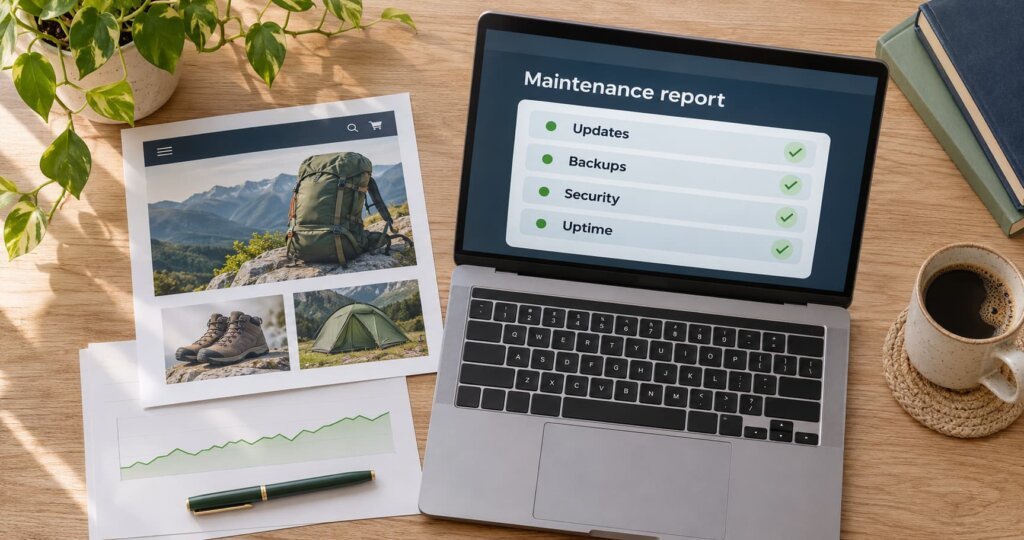
A monthly report should list updates applied, issues fixed, uptime, backup status and recommendations. Clear reports let you see what you pay for.
What Drives Website Maintenance Cost in India
Several factors raise or lower the price.
| Factor | How it affects cost |
|---|---|
| Platform | WordPress with many plugins needs more care than a simple static site. Custom builds need developer time. |
| Size | More pages, products and features mean more testing. |
| Ecommerce | Stores need extra checks on payments, stock, orders and security. |
| Integrations | Links to CRMs, payment gateways, ERPs or booking tools add risk and work. |
| Traffic and hosting | High-traffic sites need stronger servers and monitoring. |
| Security needs | Sites that handle personal or payment data need stricter controls. |
| Support level | Faster response times and round-the-clock help cost more. |
| Content volume | Frequent edits need more hours. |
| Age and code quality | Old or messy sites often need extra care before they can be maintained safely. |
| Provider type | Freelancers, small studios and large agencies price differently. |
Because of these factors, two sites that look alike can need very different support.
Common Plan Types
Basic care. Updates, backups, uptime checks and security scans. It suits small brochure sites that change rarely.
Standard care. Basic care plus a monthly allowance of support hours, performance checks and simple content edits. It suits growing business sites.
Advanced care. Standard care plus priority support, deeper security, staging environments, conversion tracking checks and regular improvement work. It suits stores, lead-generation sites and sites with integrations.
Pay as you go. You call for help and pay by the hour or task. It costs less when nothing breaks, but you may wait longer for help, and no one watches the site between calls.
Pick the type that matches how much your site matters to your revenue. A site that brings daily leads or orders needs stronger care than a simple profile page.
What to Ask Before You Sign
- What exactly is included each month? Ask for a written list.
- How many support hours or requests do I get? Ask what happens when I use them up.
- How fast will you respond, and by which channel? Ask for response and fix times.
- How often do you back up, and can you restore quickly?
- Do you test updates before applying them? Ask whether a staging site is part of the plan.
- Who owns the accounts? You should own your domain, hosting and site files.
- What happens if hackers breach the site? Ask whether the plan covers cleanup.
- How do you report? Ask for a sample report.
- What is the contract length and notice period?
- What are the exit terms? Check that the team will hand over access and files if you leave.
Red Flags in Maintenance Quotes
- A very low price with no written scope. The gap often shows up later as extra charges.
- No mention of backups or security. These are core services.
- Provider controls your domain or hosting accounts. This makes leaving difficult.
- Vague promises such as “unlimited changes.” Check the fine print.
- No reports. You cannot judge work you cannot see.
- Pressure to sign long contracts at once. Start with a shorter term if you can.
Maintenance vs Redesign: How to Decide

Sometimes the better choice is not to keep patching but to rebuild. Consider a redesign when:
- The site runs on outdated software that no longer receives updates
- Pages load slowly even after optimisation
- The design does not work well on phones
- You cannot edit content without developer help
- Maintenance bills keep rising to fix repeated problems
If you decide to rebuild, plan the move carefully so you do not lose search traffic. Our redirect map checklist for website redesigns explains how, and our guide to website design cost in India shows how build costs work.
How to Budget
Think of maintenance as a small share of your site’s value, paid regularly. Use these steps.
- List what your site does for your business. Count leads, orders and enquiries it brings in.
- Estimate the cost of downtime. A few hours offline during a campaign can waste ad spend.
- Choose a plan level that matches. Do not overpay for features you will not use, and do not under-protect a revenue site.
- Review yearly. Needs change as your site grows.
- Set aside a small reserve for unplanned fixes or upgrades.
A Hypothetical Example
We made up this example for illustration. A Lucknow clinic runs a WordPress site with a booking form. Nobody updates it for eight months. A plugin conflict breaks the form for three weeks, and the clinic loses enquiries without noticing. After the fix, the clinic signs a standard care plan with monthly updates, weekly backups, uptime alerts and a monthly form test. The owner now gets a short report each month and sleeps better.
Common Mistakes

- Delaying updates for months. This leaves security gaps and causes bigger breaks later.
- Skipping backups. A backup you have never restored is only a hope, so test it.
- Sharing one admin login with everyone. Use separate accounts and strong passwords.
- Ignoring page speed. Slow pages hurt users and search visibility.
- Forgetting to renew domains, hosting and SSL. Set reminders well in advance.
- Treating maintenance as a cost, not a safeguard.
Keep Your Site Healthy
A well-kept website protects your reputation, your search visibility and your leads. If you would like a clear scope and a fair quote, our website design and care team supports sites for businesses across India, and our Delhi NCR web team can meet you in person. Contact DigiStreet Media for a free review of your site’s health and a written maintenance plan.
Reference Links
| Relevant Topic or Resource | Why It Is Relevant | Verified Link |
|---|---|---|
| Google guidance on Core Web Vitals | Explains page experience and speed measures | https://web.dev/articles/vitals |
| Google guidance on site moves with URL changes | Supports safe redesign and migration practice | https://developers.google.com/search/docs/crawling-indexing/site-move-with-url-changes |
| Google Search Console Help | Reference for crawl, index and security issue reports | https://support.google.com/webmasters |
Frequently Asked Questions
How much does website maintenance cost in India?
Cost depends on platform, site size, ecommerce, integrations, security needs and support level. Ask for a written scope and compare plans by what they include, not by price alone.
What is included in website maintenance?
Common items are software updates, backups, security monitoring, uptime checks, performance checks, bug fixes, small content edits and monthly reports.
Do I need website maintenance if my site is small?
Yes. Even a small site needs updates, backups, SSL renewal and security checks. A basic plan can cover these for a simple brochure site.
How often should a website be updated?
Check for software updates at least monthly, and apply security updates sooner. Review content and performance every quarter.
Is website maintenance the same as SEO?
No. Maintenance keeps the site working and secure. SEO aims to improve search visibility. Good maintenance supports SEO by fixing errors and keeping pages fast.
Can I maintain my website myself?
You can if you are comfortable with updates, backups and security. Many owners choose a plan because mistakes can break the site and time is limited.
What happens if my website gets hacked?
The team should restore a clean backup, remove malware, fix the weak point and update passwords. Ask your provider whether cleanup is part of the plan or billed separately.