

Updated 23 October 2026.
DigiStreet field guide
How to Brief an AI Film
An AI film brief needs the same commercial clarity as any other production, plus decisions about visual continuity, generated elements and the product details that must remain exact from shot to shot.
Begin with one audience, one action and one sentence the viewer should remember. The technology is not the concept. If the film cannot be described without naming a generation tool, the brief is not yet ready for a script or storyboard.
DigiStreet’s published AI video price starts from ₹75,000 plus GST per 30 seconds of finished film. The retainer is ₹2,00,000 plus GST a month for 8 to 10 films. These are finished-film prices; the brief still needs to state versions, languages, aspect ratios and any additional runtime.
Write the non-negotiable visual facts before the first frame is made: product geometry, pack text, logo treatment, people, uniforms, location cues, colour and claims. Generated imagery can vary between shots, so continuity must be an approval line rather than an informal preference.
Use this as a working file: keep the URL, date, owner and source beside every decision.
The one-page AI film brief
| Brief field | Decision | Approval evidence |
|---|---|---|
| Audience and action | Who watches and what happens next | Campaign objective and landing page |
| Single message | One sentence the film must leave behind | Approved proposition |
| Scene sequence | Opening, proof, product and close | Numbered storyboard |
| Continuity rules | Character, product, place and colour | Reference sheet |
| Deliverables | Runtime, ratios, languages and captions | Version matrix |
Turn the marketing need into a filmable brief
Name the viewer in useful detail
“Everyone” cannot guide a scene. Describe the buyer’s situation, what they already know, the objection holding them back and where the film will appear. A six-second opening for a social feed needs a different setup from a sales presentation.
Choose one job for the film
Decide whether the film introduces, demonstrates, compares, reassures or prompts action. Trying to carry the full website into thirty seconds creates a sequence of slogans. Put secondary messages in later versions or supporting copy.
Write the approved claim exactly
Give the production team the wording, qualifier and evidence for every factual statement. Product specifications, savings, health statements and awards should not be improvised. Mark statements that must appear on screen as well as in voiceover.
Build a numbered scene plan
For every scene, state the visual subject, action, spoken or written line, duration and transition. A numbered plan gives reviewers a stable reference and lets the team change one scene without reopening the whole concept.
Create a continuity reference
Choose the approved face, clothing, environment, product view, lighting and palette. Include reference images that the brand has the right to use. List details that may vary and details that cannot vary between frames.
Protect product accuracy
Generated packaging and interfaces can distort small text, controls and proportions. Identify the shots that need a real product render, supplied screen capture or final compositing. Check those frames at full resolution before approval.
Plan sound and captions together
State the voice, language, pronunciation, music direction and sound effects. Supply pronunciation notes for names and technical terms. Captions should be designed for the frame, not added after the safe area has been filled.
List every delivery format
Record 16:9, 9:16 or 1:1 versions, runtime, resolution, file format, clean cut, captioned cut and thumbnail. A crop can remove the product or text, so key scenes should be composed for the required ratios from the start.
Set review gates by decision
Approve the script, storyboard, visual direction and first full cut in that order. Each gate should identify the people who can decide. Consolidated notes prevent the same scene from moving in two directions.
Define the final check
Watch the film without sound, listen without picture, read every frame of text and test it in its actual placement. Confirm product detail, logo, claims, captions, music licence and call to action before the master files are released.
How the brief changes for a monthly AI film plan
A monthly set of 8 to 10 films needs a shared system, not eight unrelated briefs. Define the recurring audience groups, visual rules, product facts, end cards, voice references and delivery sizes once. Then give each film one specific message and scene sequence inside that approved system.
Build variety from format and customer question rather than random styles. One film may demonstrate a feature, another answer an objection, another dramatise the use case and another introduce a category. The brand should still be recognisable through typography, palette, product handling and tone.
Create an asset register for approved logos, product renders, packaging, screenshots, people and location references. Mark usage permissions and expiry dates. The register stops an outdated pack or unapproved reference from returning in a later film after the team has forgotten the first review.
Schedule review capacity with the production capacity. Ten films cannot move if one brand reviewer is available only at month end. Give each batch a script deadline, storyboard review and final approval date. Separate legal or technical review from subjective visual preferences.
Use the release report to record each film’s placement, final file, message and action. Performance results can shape later openings and versions, but they should not rewrite the original objective after the fact. Keep the approved brief beside the delivery record.
Where AI film briefs go wrong and how to catch it early
A brief that names a style instead of a shot
The most common weak brief says "cinematic, premium, energetic" and stops there. Three people read those words and picture three different films. You can spot the problem with a simple test: ask two colleagues to sketch the opening three seconds from the brief alone. If the sketches differ, the brief has adjectives where it needs shots. Rewrite each scene as a subject, an action and a place, for example "a hand presses the pump bottle on a white kitchen counter, morning light from the left". A line like that can be generated, reviewed and corrected. A mood word can only be argued about. Keep a one-line shot list for each scene so reviewers react to specifics.
How to check that the product stays the same across scenes
Pick three frames from three different scenes and place them side by side at full size. Look at the pack text, the cap or button count, the colour of the label and the proportions of the container. Generated imagery tends to drift on exactly these details, and viewers who know the product notice first. Set a rule in the brief: any shot where a label must be readable uses a real packshot or render composited in, and the generated footage only supplies the setting and the movement. Mark those shots on the storyboard before production starts, not after the first cut. Anything left unmarked gets approved by default.
Why the voiceover decides the real runtime
A script that reads comfortably on paper often runs long when spoken. Read it aloud with a stopwatch before the storyboard is approved. If it takes thirty-four seconds, you are not briefing a thirty-second film, and the extra scenes will either be cut late or priced as additional runtime. Time every language version separately, because a translation rarely takes the same time as the English. Leave a short gap at the end for the logo and the call to action, so the last line is not squeezed against the end card. This one habit prevents most late trims and the rework that follows.
Questions to put to any AI film vendor before you sign
Ask who owns the reference images and the generated scenes once the film is delivered. Ask whether a scene that fails the continuity check counts as a revision round or is regenerated at no charge. Ask to see one scene at full resolution, with your actual product in it, before approving the whole storyboard. Ask how runtime beyond thirty seconds is priced, and whether each aspect ratio is a separate deliverable. Write the answers into the brief itself. A verbal promise at the kick-off call is hard to find again when the first cut arrives. A vendor who answers all five without hesitation has done this before.
One film or a monthly plan: a simple rule
Use the published rates as arithmetic. Films from ₹75,000 plus GST each, bought one at a time, reach ₹2,25,000 for three. The retainer is ₹2,00,000 plus GST a month for 8 to 10 films, which works out at about ₹20,000 to ₹25,000 a film. So if you will release three or more films in a single month, price the retainer first. If you need one film for a launch and nothing after it, buy the single film and keep the brief tight. The retainer only pays off when the review time to approve ten films exists on your side.
Evidence from DigiStreet work
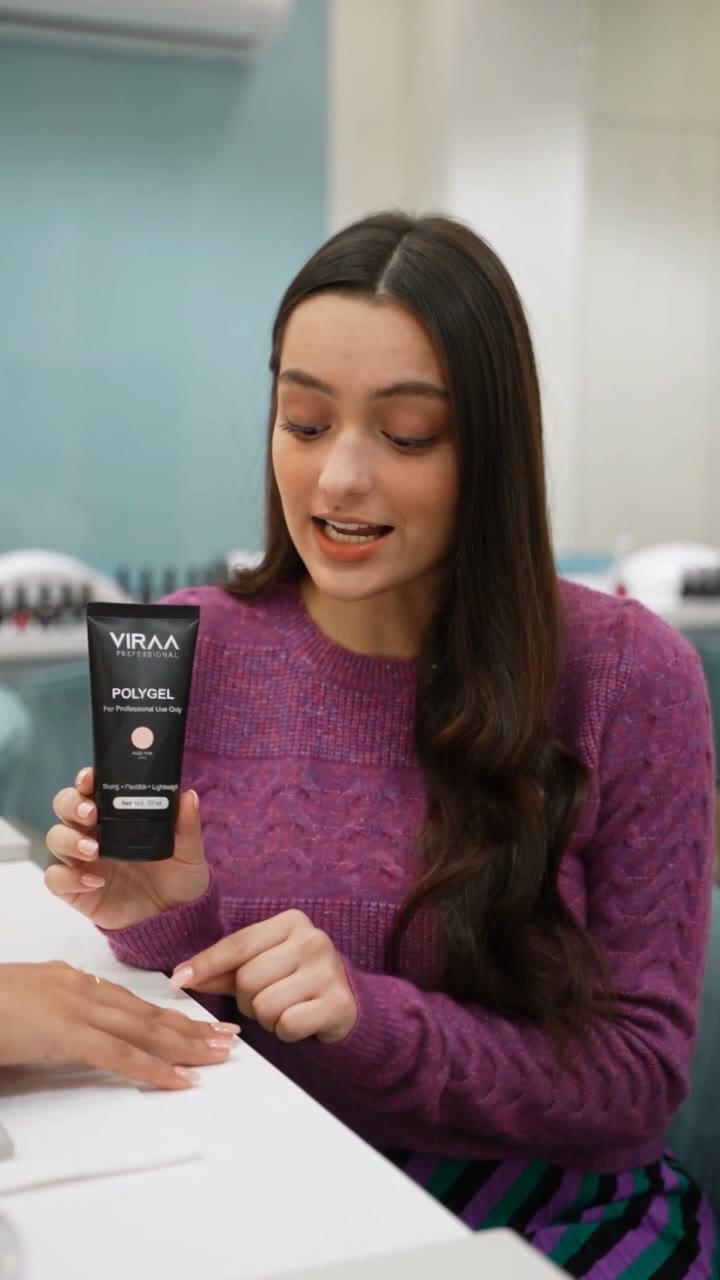
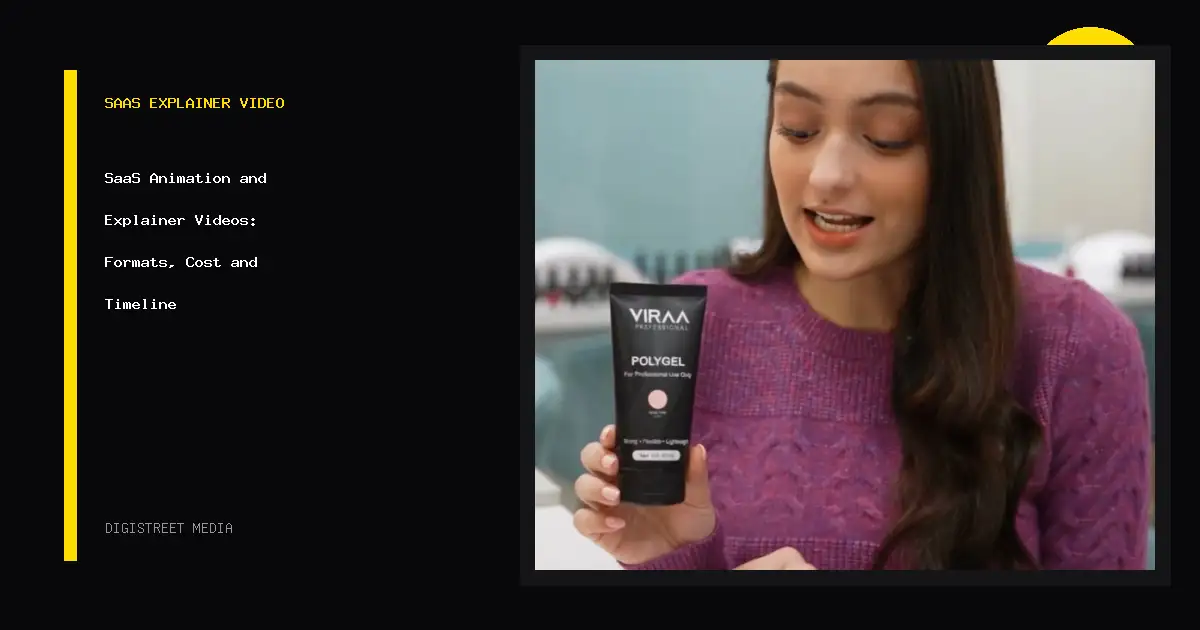
The Viraa film is a useful brief reference because the product, hand movement, finish and beauty setting all need to remain recognisable while the shots change. Those are approval facts, not small styling notes.
A single 30-second AI film starts from ₹75,000 plus GST. Brands planning a steady release calendar can use the ₹2,00,000 plus GST monthly retainer for 8 to 10 films.
Questions people ask before using this guide
What does an AI film cost at DigiStreet?
Published pricing starts from ₹75,000 plus GST for each 30 seconds of finished film.
What is included in the AI film retainer?
The published retainer is ₹2,00,000 plus GST a month for 8 to 10 films.
What should the brief contain first?
Name the audience, desired action and single message before writing scenes or choosing a visual style.
How do you keep generated characters consistent?
Use an approved visual reference and check face, clothing, environment and product details at each review gate.
Should vertical and wide-screen versions be in the first brief?
Yes. State every aspect ratio and compose important subjects and text for those formats from the start.
Can the brand change the script at final cut?
It can request a change, but late message changes may require new scenes; approve the claim and script before visual production.
Put the next decision on one page
Bring the current brief, the evidence you already have and the business action that matters. DigiStreet will tell you what should be checked first.