




Buyers believe other buyers. A glossy brand film tells people what you say about yourself. A customer testimonial video shows what someone else says about you, in their own words and with their own face. That difference makes customer testimonial videos one of the most trusted formats in marketing, especially for services, software, education, healthcare and high-value products.
Many brands struggle to produce them. Customers say yes, then feel shy on camera. Footage arrives dark and noisy. Answers sound scripted. This guide shows you how to plan, film and use testimonial videos so they feel real, look professional and help you win more customers.
Why Customer Testimonial Videos Work

Text reviews help, but video adds voice, face, emotion and context. Viewers can judge sincerity quickly. A video can also answer the doubts a buyer has, such as “Was it hard to start?” or “Did it solve a problem like mine?”
They also work across the funnel:
- On service and product pages, they reduce doubt before a purchase
- In sales emails and proposals, they support your pitch
- In ads, they add social proof to cold audiences
- On social media, they show real people using your product
Testimonial videos differ from creator-led UGC. A testimonial comes from a real customer who shares a real experience. If you also work with creators, our guide to how many UGC videos you need explains how the two formats fit together.
Step 1: Choose the Right Customers
Pick customers who:
- Had a clear problem and a clear result
- Match the buyers you want more of
- Speak naturally and warmly
- Feel happy to be named and filmed
- Represent different segments, such as industry, size or location
Ask your sales and support teams for names. Look at reviews, repeat orders and referrals. Aim for three to five testimonials that cover different buyer worries, such as price, speed, trust and results.
Step 2: Make the Ask Easy
Reach out personally. Explain why you are asking, how long it will take and what you will do with the video. Offer choices: a short call, an in-person visit or a self-recorded clip with guidance. Respect a “no.”
Be honest about rewards. A small thank-you gift or a service credit is fine if you disclose it where rules require, and you must not ask the customer to say anything untrue. Never script false praise.
Step 3: Get Written Consent
Before you film, get a signed release that states:
- Where and how you may use the video, such as website, ads, social media and sales decks
- For how long you may use it
- Whether you may edit it, cut it into clips and add captions
- Whether you may name the person, their role and their company
- How the customer can ask you to remove it
Check local laws and platform rules with your legal adviser. Keep a copy of every release.
Step 4: Write Questions, Not Scripts

A script makes people stiff. Questions bring out real answers. Send the questions a few days before so the customer can think, but ask them not to memorise answers.
Warm-up – Please tell us your name, your role and what your company does.
The problem – What problem were you facing before you worked with us? – What had you tried?
The decision – Why did you choose us? – Did you have any worries before you started?
The experience – What was it like to work with us? – Can you describe a moment that stood out?
The result – What changed after the project? Please share any numbers you can. – How did your team or customers react?
The advice – What would you tell someone who is thinking about working with us?
Ask the customer to answer in full sentences that include part of the question, such as “Before we worked with them, we were struggling with…” This makes clips easy to edit.
Step 5: Film Simply and Well
You do not need a big crew. Good basics matter more than fancy gear.
Sound first
Poor audio ruins good video. Use a clip-on microphone or a good external mic. Record in a quiet room, away from fans and traffic.
Light the face
Sit near a window for soft daylight, with the light in front of the person, not behind. Avoid mixed lighting.
Frame with care
Place the camera at eye level. Use a clean, simple background, such as an office corner or a workplace relevant to the story. Keep the person slightly off-centre and leave space to one side.
Use two angles if you can
One wide shot and one closer shot give editors more options. A single camera also works.
Add b-roll
Film short clips of the customer’s workplace, product use or team at work. These images cover cuts and add context.
Help the person relax
Start with easy questions, smile, nod and let the person take their time. Repeat a take if they stumble. Keep sessions under an hour.
Remote option
If you cannot meet, ask the customer to record on a phone in landscape mode, with a headset microphone, near a window. Send a short guide and test the setup on a call first.
Step 6: Edit for Trust
- Keep it short. A main testimonial of 60 to 120 seconds works for many pages, with 15 to 30 second clips for ads and social media.
- Open with the strongest line. Start with a result or a clear emotion.
- Cut filler, but keep natural pauses and personality.
- Add captions. Many people watch without sound, and captions help accessibility.
- Show name and role on screen.
- Use light branding. A small logo at the end is enough.
- Do not over-edit. Heavy effects and music can make a testimonial feel staged.
- Check claims. Make sure every result in the video is true and that you can support it.
Plan versions for different channels: wide for websites, square or vertical for social media and short cut-downs for ads. If you want help with polish, our brand video production team handles filming and editing. For a look at budgets, see our brand video production cost guide.
Step 7: Use Your Videos Across the Funnel
| Stage | Where to use the video |
|---|---|
| Awareness | Short clips in social posts and video ads |
| Consideration | Service pages, case studies and landing pages |
| Decision | Proposal emails, sales decks and demo follow-ups |
| After purchase | Onboarding emails and referral requests |
Add transcripts to the page, so search engines and readers can use the text. Add video structured data where it fits, and place the video near the call to action. Test pages with and without the video to see the effect.
A Hypothetical Example
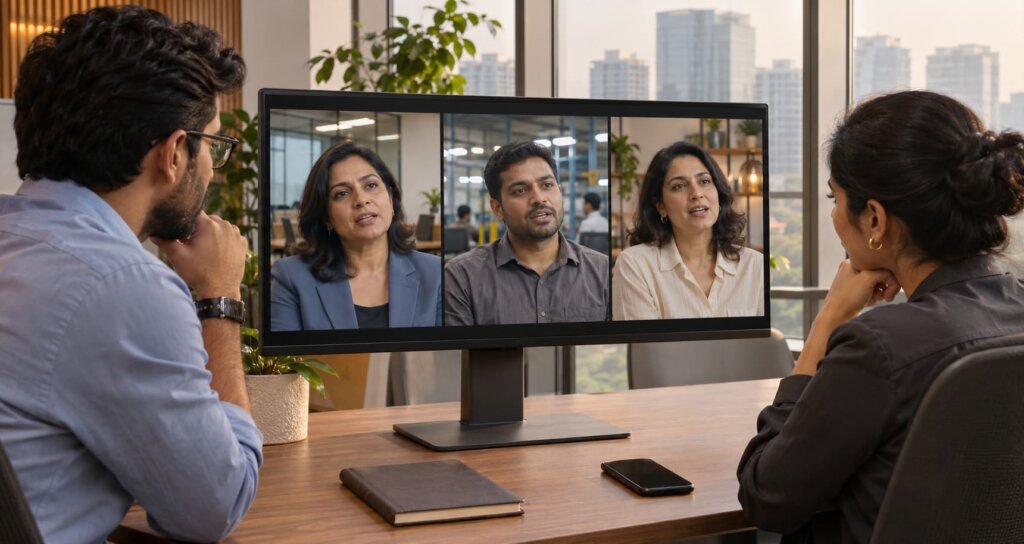
We made up this example for illustration. A Gurugram software firm records three testimonials. One speaks to a finance head about faster reporting, one to an operations manager about easier onboarding and one to a founder about support. The firm places each video on the matching service page, sends the right clip to prospects with similar roles and cuts 20-second versions for LinkedIn. The sales team reports that prospects mention the videos on calls, and the marketing team tracks form fills from the pages that carry them.
Common Mistakes
- Choosing customers by convenience, not by fit.
- Scripting every word. It sounds fake.
- Ignoring audio quality.
- Publishing without consent.
- Hiding the video on a page nobody visits.
- Using one long video everywhere. Cut it for each channel.
- Overstating results. Honest claims protect your brand.
Turn Happy Customers Into Your Best Sales Team
Start small. Pick two customers, send them the questions this week and film a simple session. Your first video will teach you more than any plan. If you want a team to handle strategy, filming and editing, contact DigiStreet Media and we will help you plan a set of testimonial videos that match your buyers.
Reference Links
| Relevant Topic or Resource | Why It Is Relevant | Verified Link |
|---|---|---|
| Google guidance on video best practices | Explains how to help search engines find and understand video | https://developers.google.com/search/docs/appearance/video |
| Web accessibility introduction by W3C | Supports captions and accessible video | https://www.w3.org/WAI/fundamentals/accessibility-intro/ |
| Advertising Standards Council of India | Guidance on advertising claims and endorsements in India | https://www.ascionline.in/ |
Frequently Asked Questions
What is a customer testimonial video?
It is a short video in which a real customer describes their experience with your product or service in their own words, often covering the problem, the decision and the result.
How long should a testimonial video be?
A main testimonial of 60 to 120 seconds suits many websites. Cut 15 to 30 second clips for ads and social media.
How do I get customers to record a testimonial video?
Ask personally, explain the time needed, offer a simple format such as a short call or phone recording and respect a no. Share questions in advance and get written consent.
Do I need a professional crew for testimonial videos?
Not always. Good sound, soft light and clear questions matter most. A professional team helps when you want polished results, multiple locations or large-scale use.
Can I pay customers for testimonials?
A small thank-you may be acceptable, but you must follow disclosure rules and platform policies, and you must never ask for untrue statements. Check local advertising rules.
How do I use testimonial videos for SEO?
Place videos on relevant pages, add transcripts and captions, use clear titles and consider video structured data. Keep the page useful beyond the video.
What is the difference between testimonial videos and UGC?
A testimonial features a real customer sharing a real experience. UGC usually comes from creators or customers making content in a casual style, and brands may brief or commission it.